
Computer Ports, Cables and Connectors: Meaning, Types and Uses
Introduction
Today’s world is a digital era. Nowadays computers are widely used almost everywhere, but they are rarely used alone. Almost every task that is done using computers, involves connections with additional devices such as a keyboard, mouse, monitor, and speakers, or even an internet cable. All these connections play a vital role in the functioning of computers.
If you observe any computer or laptop you will notice that there are several small slots on its back panel or sides. Similarly, you may also notice different types of wires that are used to connect devices. These components are known as ports, cables, and connectors.
Even though these terms are heard commonly, still many beginners often find them confusing. They may be confused about the understanding and functioning i.e., which term is used for which purpose or how they differ from one another. However, having a basic understanding of these components will make it much easier for beginners to use and manage computers efficiently.
In this article, we will focus on the meaning, types, and uses of computer ports, cables, and connectors. We will explore them in a simple and beginner-friendly way. By the end of this article you will have a proper clarity of how different devices connect and communicate with a computer.
What Are Computer Ports?
Computer ports can be considered as physical interfaces or connection points available on a computer system. These are the spaces where external devices can be attached using different cables.
In simple words, a port is a slot into which you or any user can plug a cable to establish a connection between the computer and another required device. These ports allow the system to send and receive data, signal, or power.
Without the help of ports, it won’t be possible to connect any essential devices like keyboard, printers, or monitors with the computer. Every port is not designed in the same way. They are specifically made for a particular purpose which means not all devices can be connected to every port. We need to use correct port to ensure proper functioning and compatibility of the device with computer.
Common Types of Computer Ports
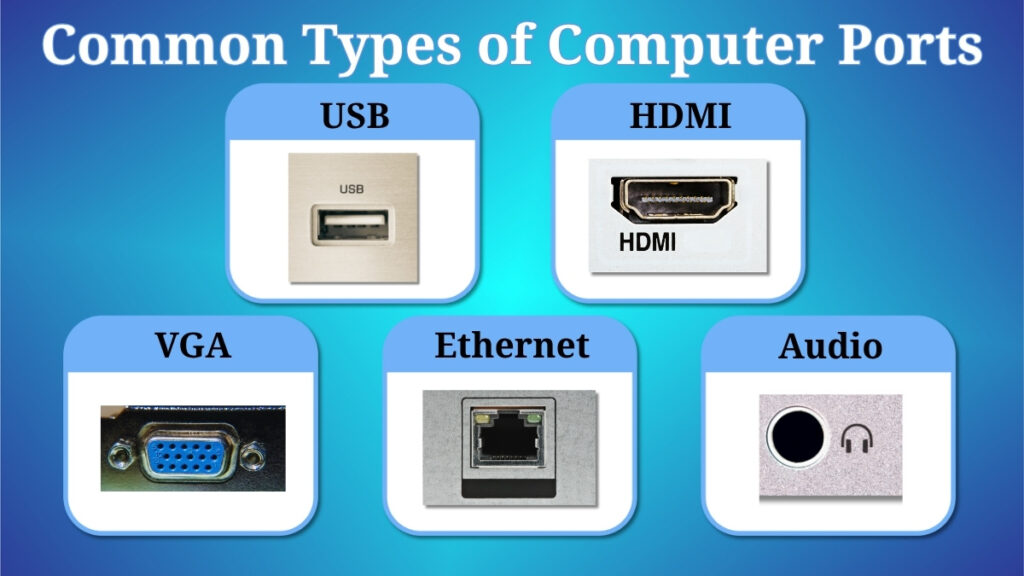
USB Port
USB stands for Universal Serial Bus. This is one of the most widely used ports in modern computers. It is highly versatile and supports a large variety of devices.
You can use a USB port to connect multiple devices such as keyboard, mouse, pen drive, external hard drive, printers, and even smartphone. The biggest advantage of USB is its ease of use. Most of the USB ports are plug and play which means they start working immediately after connecting to the computer.
HDMI / VGA Port
HDMI (High Definition Multimedia Interface) and VGA (Video Graphics Array) ports are majorly used for connecting display devices.
These ports ensure that a computer is able to send visual output to monitors, televisions, or projectors. For example when a user connects a laptop to a projector during a presentation they are knowingly or unknowingly using an HDMI or VGA port.
HDMI is more advanced in comparison to VGA. HDMI can support both audio and video signals, while VGA mainly supports only video output.
Audio Ports
Audio ports are usually used for sound related connections. These ports allow users to connect headphones, speakers, and microphones to the computer.
They are capable of sharing both input and output of the sound. For example, you can use headphones for both listening to music and recording audio using a microphone connected through these ports.
Ethernet (LAN) Port
The Ethernet port LAN is referred to as local area network. It is used for connecting a computer to internet using wired means.
This type of connection is often more stable and reliable as compared to wireless connection. You can commonly see them in offices, school, and situations where consistent internet speed is primary concern.
What Are Computer Cables?
Computer cables are the physical wires that are used for connecting devices to a computer through its ports. They act as a bridge that carries data, signals, or electrical power from one end to the other.
To put it simply, cables are the reason why communication happens between devices. In the absence of cables ports alone cannot perform their function properly.
Let us observe an example, assume you connected a printer or monitor to a computer, but will you be able to establish that connection without a cable? You need a cable to establish the connection correctly. Depending on the purpose or function different types of cables are used.
Common Types of Computer Cables
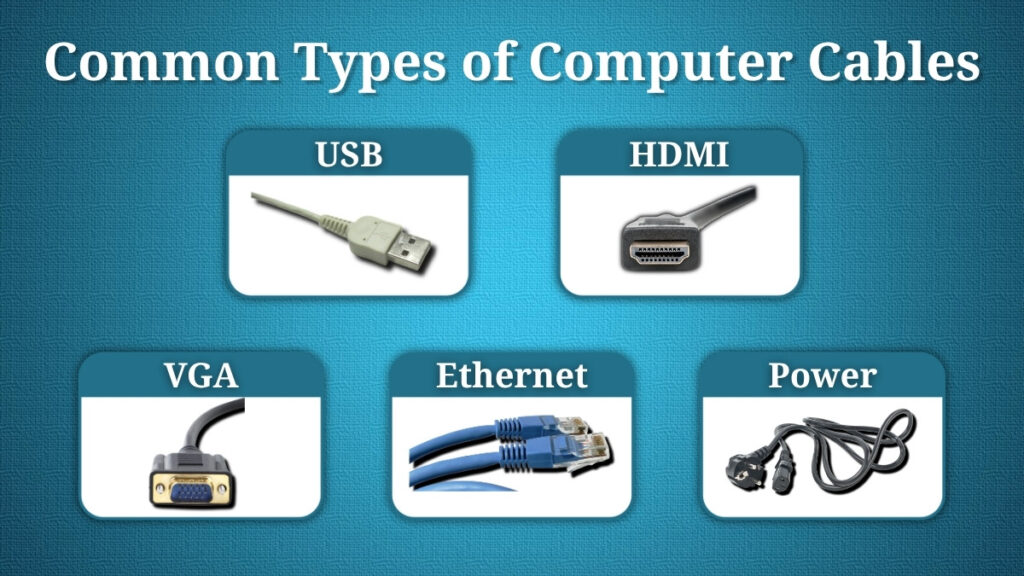
USB Cable
As we learned before, a USB cable is used along with USB ports to connect different external devices such as smartphones, printers, cameras, and storage devices.
You already know that cables are capable of transferring data and they are also used for supplying power. For example, while charging your phone using a computer, you need a USB cable.
HDMI / VGA Cable
We also learned earlier about HDMI / VGA cable. They are designed to work with specific ports to connect display devices.
They are mainly responsible for transferring visual data from computer to a monitor or projector. When we compare both of these, HDMI cables are capable of carrying audio signals as well, which makes them more efficient for multimedia purposes.
Power Cable
Power cable is used for supplying electricity to a computer system.
A desktop computer cannot operate at all without a power cable. It functions by connecting the computer to a power source, ensuring that all components grasp the energy needed to function.
Ethernet Cable
An Ethernet cable is used for establishing a wired internet connection between a computer and a network device like a router.
This cable makes sure to create a stable and uninterrupted connection, which is especially used for activities like online gaming and video streaming.
What Are Connectors?
Connectors are the end part of cable that are inserted directly into ports. They are designed in such a way that they perfectly fit into matching ports which allows a secure and proper connection.
In one sentence, we can say a connector is the portion of the cable that is physically linked to the computer or any other device.
Connectors ensure that the connection remains stable and data or power is transferred properly.
Difference Between Ports, Cables and Connectors
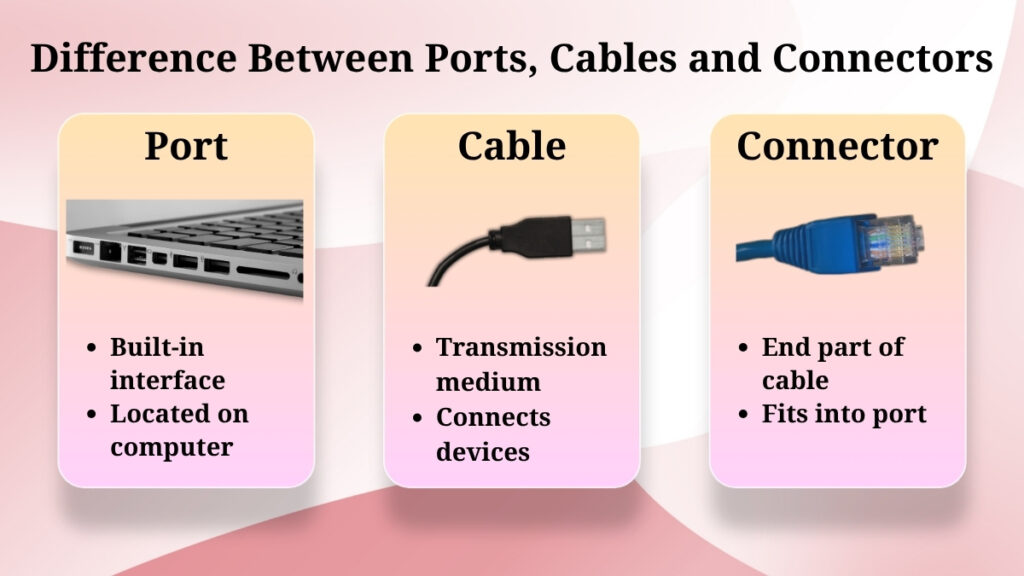
Even though, ports, cables, and connectors are similar, still they serve different roles in the connection process.
-
Port is a built-in interface which is present on the computer where connections are made.
-
A cable is the medium which is used to carry data or power between devices.
-
Connector is the end part of the cable which fits perfectly into the port.
To understand this in a better way let us imagine a transportation system:
-
Here the port acts as a destination or station.
-
Next, the cable acts as a road which connects two points.
-
The connector acts like the vehicle which links the road to the station.
This chronology helps in clearly understanding the difference between their role while understanding how they work together.
Why Ports and Cables Are Important
Ports and cables play a very important role in ensuring the computer’s functional and versatile operation.
They are the reason why communication between computer and external devices are possible. Usage of essential hardware like keyboard, monitor, printer, or speaker would not be possible without them.
They also allow data transfer, display output, and internet connectivity. In simple words, ports and cables expand the capabilities of a computer much more than it could do alone, making it more useful in both personal and professional environments.
Common Problems Related to Ports and Cables
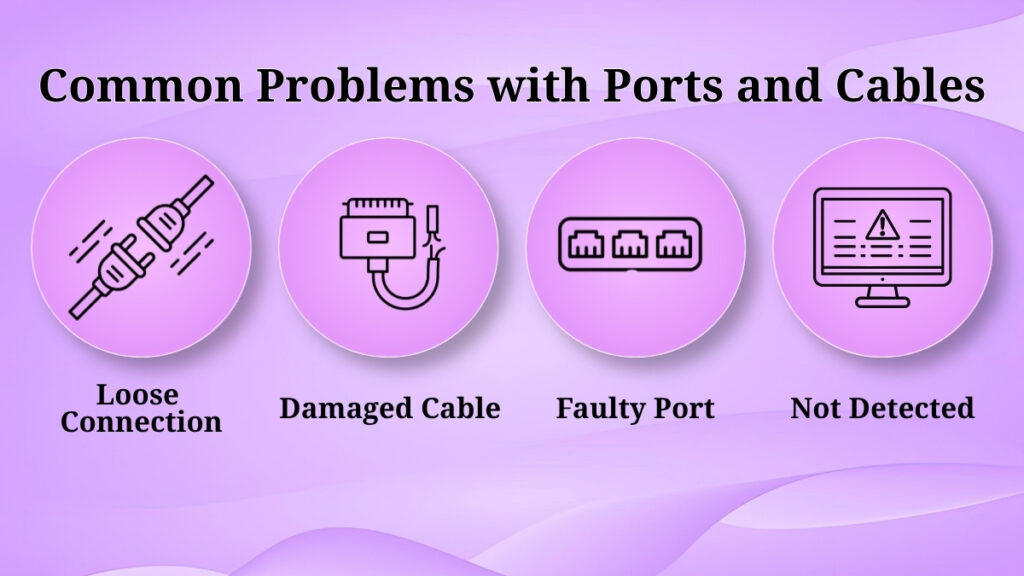
While using ports and cables certain issues are faced by users that can interrupt normal functioning.
Some common problems include:
-
Device not being detected even after connecting
-
Loose or improper connection
-
Damaged cables
-
Faulty or non-functional ports
Safety Tips While Using Ports and Cables

Proper handling of ports and cables is important to ensure the safety and long-term usability.
Few simple safety tips are as follows:
-
Never force a cable into a port.
-
Try not to touch cables with wet hands.
-
Insertion and removal of cables should be done gently.
-
Prevent cables from bending or physical damage.
-
Always cross-check the connection before using.
By following these precautions you can avoid damage to both computer and connected device.
Conclusion
Ports, cables, and connectors are essential components of computer hardware which allow devices to connect and communicate properly.
Ports act as connection points, while cables act as a bridge for transferring data or power, and last but not least, connectors ensure a secure link between both of them. All of them together can be considered as the backbone of computer connectivity.
These are just the basic concepts but very important, especially for beginners, because it not only improves knowledge but also users’ confidence. They can handle hardware without confusion if they have fundamental knowledge.
Pingback: Computer Maintenance Tips: Easy Guide for Beginners
Pingback: Basic Computer Troubleshooting Steps for Beginners
Pingback: Internet Connection Problems and Simple Fixes Guide
Pingback: Keyboard Mouse and Display Issue: Easy Troubleshooting Guide