
Power Supply Unit (SMPS): Meaning, Functions and Importance Explained
Introduction
Whenever any user turns on a computer, it immediately starts operating: apps open, the screen lights up, and everything starts running. But none of this would have been possible without proper flow of electricity inside the system.
A computer does not just need electricity in the appropriate form. The power that a computer gets from the wall socket is too direct and unregulated for different computer components. If this power is used directly without any control, it can harm the system.
So, before reaching the internal parts, electricity must be adjusted and manages in the right way. This process is handled by a special unit inside the computer. This is where an important device inside the computer system takes charge and comes into action.
SMPS is the unit which takes care of this task and makes sure that the system receives power in a safe, correct, and usable form. Many users might have heard this name but they do not have any clarity about what it actually does. In this article, we will learn about SMPS in a simple and understandable language, so that beginners can easily get to know about its role and importance.
What Is a Power Supply Unit (SMPS)?
A Power Supply Unit, also known as SMPS (Switched Mode Power Supply), acts like a bridge or middle step between the power source and computer. It first receives the electricity from an outside source and prepares it so the system can use it safely.
The computer would not be able to operate without this unit, because the internal components of the system would not receive the correct form of power.
Why SMPS Is Necessary?
When a computer is turned on, SMPS is one of the first components that activates.
It provides electrical power to necessary parts of the system, which allows the computer to start and operate. The system will not start at all if the SMPS is not working.
It ensures a steady flow of electricity. The system may behave unexpectedly without stability. For example, it may shut down suddenly or not work smoothly.
In addition, the SMPS supports each and every component equally. Almost every part of the computer system depends on it, and this makes it one of the most essential units placed inside the system.
How SMPS Handles Power? (Basic Idea)
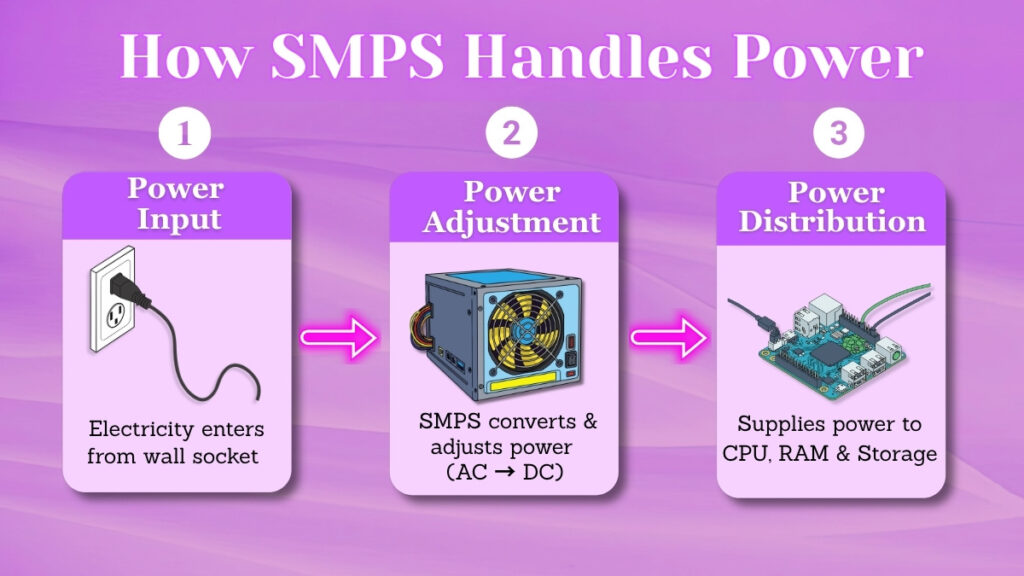
Let us understand how the working process of an SMPS happens. It is simple to learn it.
When the flow of electricity enters the computer, it first goes to the SMPS unit. After that, the unit adjusts this power in a way that it matches the needs of the system.
After making those changes, the SMPS shares the correct amount of power to multiple parts like the processor, memory, and storage.
This entire process is performed automatically within seconds without any effort from the user. It works silently in the background from the exact moment when the system is turned on until it is shut down.
Main Tasks Performed by SMPS
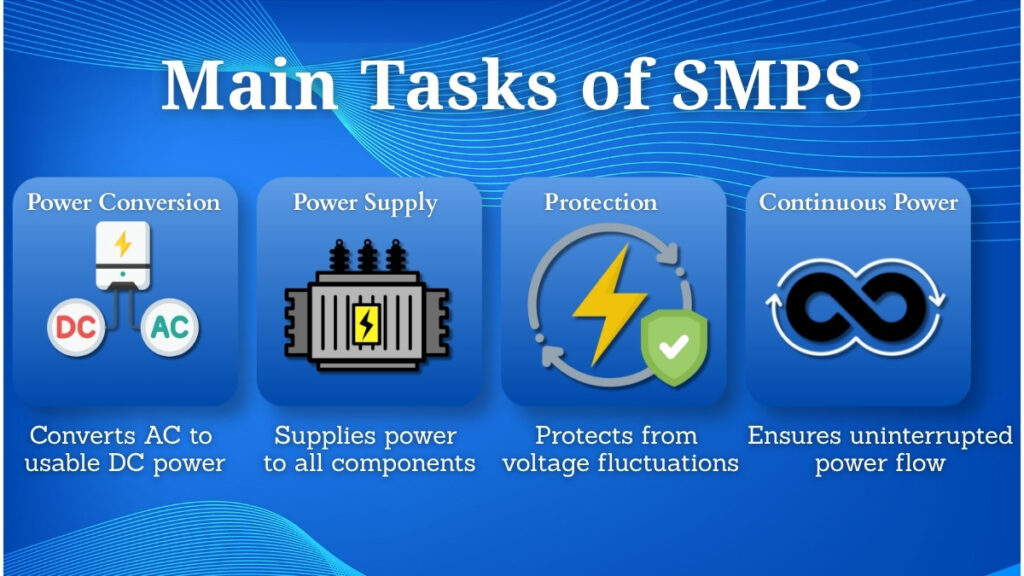
Conversion of Power
The SMPS transforms the incoming electricity into a form that can be used safely by the computer system. This transformation is necessary because the original power is not suitable at all for direct use.
Power Supply to Components
When the transformation is completed and the power is ready, the SMPS shares it to all parts of the computer. It supplies the required amount of power to each component.
Protection from Power Issues
SMPS also helps in protecting the system. It minimizes the risk of damage caused by sudden changes in power, which helps in keeping the computer safe for the long term.
Continuous Power Support
Another major function that SMPS performs is, to keep the power supply continuous while the system is running. It ensures that there is no interruption during the use of the system.
Where Is SMPS Found in a Computer?
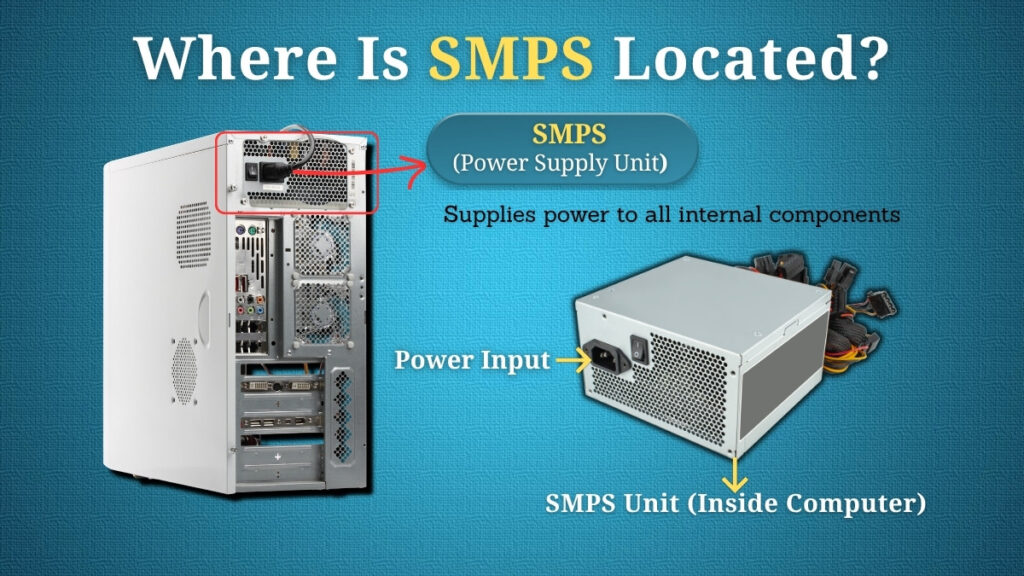
The SMPS is located inside the cabinet in desktop computers.
It is usually placed at the back of the system where the main power cable is connected. From the initial placement, it connects to different components inside the system and supplies power to them.
Even though, as a user you may not see it during regular use, but it continuously works whenever the computer is running.
In some of the systems, its position may slightly vary, but still its role remains the same- which is to manage and supply power to all internal components of the system.
Common Signs of SMPS Problems
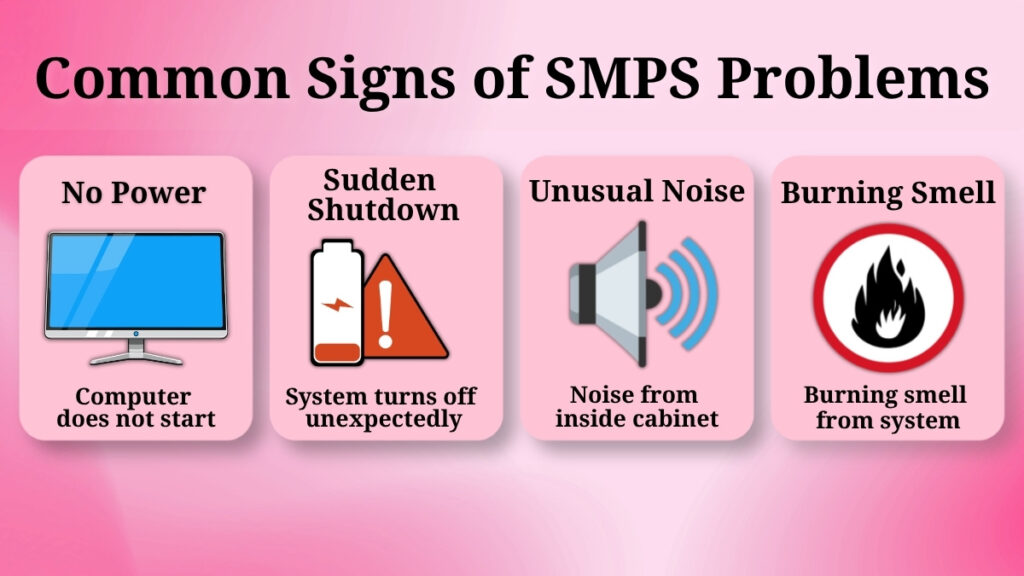
If the SMPS is not working properly, certain signs can be observed.
Some common signs are:
-
The computer does not start properly even after turning it on.
-
The system turns off suddenly out of nowhere.
-
Unusual sounds can be heard from inside the cabinet
-
A burning smell can also be observed in some serious cases
You may also notice that the system restarts frequently or behaves inconsistently. These signs suggest that the SMPS may need attention or maintenance.
How SMPS Helps Keep the System Safe?
Just like any other electronic device, a computer also needs stable power to work correctly.
If the power supply is not managed properly, it can lead to damage or errors in internal parts of the system. The SMPS helps in preventing this by managing the flow of electricity inside the system.
It reduces the effect and chances of sudden power changes and also helps the computer to run smoothly.
Let’s observe an example, if there is a small fluctuation in the power supply, the SMPS adjusts it and keeps the components safe. However, if the SMPS does not work properly, the small fluctuation can damage the computer.
Why Direct Electricity Cannot Be Used?
It may seem simple and easy to connect a computer directly to the power source but this is not at all safe.
The electricity from the wall socket is not in the appropriate form, which is required by computer components. Using it directly can lead to damaging the system.
As we saw before, the SMPS acts as a bridge and a safety layer by adjusting the power before it reaches the internal parts. This is why it is an essential part of every computer.
Without this major adjustment, sensitive parts inside the computer, could stop working or get permanently damaged.
Common Misunderstandings About SMPS
There are a few common myths about SMPS which create confusion for users.
Few people think it only supplies power which is not correct, because it also controls and stabilizes it.
Others believe that it is not a necessary part but in reality, the computer cannot even start without it
There is also a wrong assumption, that it has no effect on the performance of the system, but proper power supply is very important for smooth operation.
Some of the users also think that SMPS works only during the startup, but actually it works continuously as long as the computer is running.
Understanding all these facts helps in clearing confusion and getting a better clarity.
Conclusion
The SMPS is a key component which manages and handles power inside a computer system.
It ensures the proper flow of electricity, adjusts it, and even supplies it to all parts of the system.
The computer would not even be able to start or function properly without it.
For beginners, understanding the role of SMPS is very important, so that they know how a computer receives and uses power in a safe and efficient manner.
It not only helps the system run but also protects it, which makes it one of the most important parts of any computer system.