
What is a Motherboard? Components & Functions Explained for Beginners
Introduction
In our daily activities while using a computer, we mainly concentrate on external devices such as the screen, the keyboard, and the mouse. The above mentioned are the visible parts that we use to interact while doing work, studies, or browsing the web. However, a computer is not limited to these visible parts only. There are many internal components within the computer system that function together continuously to make sure everything runs smoothly and effectively.
The motherboard is one of the most important internal parts. It is also known as the “backbone of the computer” because it links all of the main components and enables them to work as a single, complete unit. A computer would simply not function without this connection.
The CPU, memory (RAM), storage devices, and other hardware devices are connected with the motherboard. It is necessary for these devices to communicate with one another. Without this connection, data cannot be sent between components, and the system would not be able to carry out even simple tasks.
The motherboard’s ability is to control communication between components, which affects every click, command, and action you do. Even though it is not visible while working on the computer, the motherboard is continuously at work in the background. For beginners, understanding the motherboard’s functioning is a key part of learning computer basics.
What Is a Motherboard?
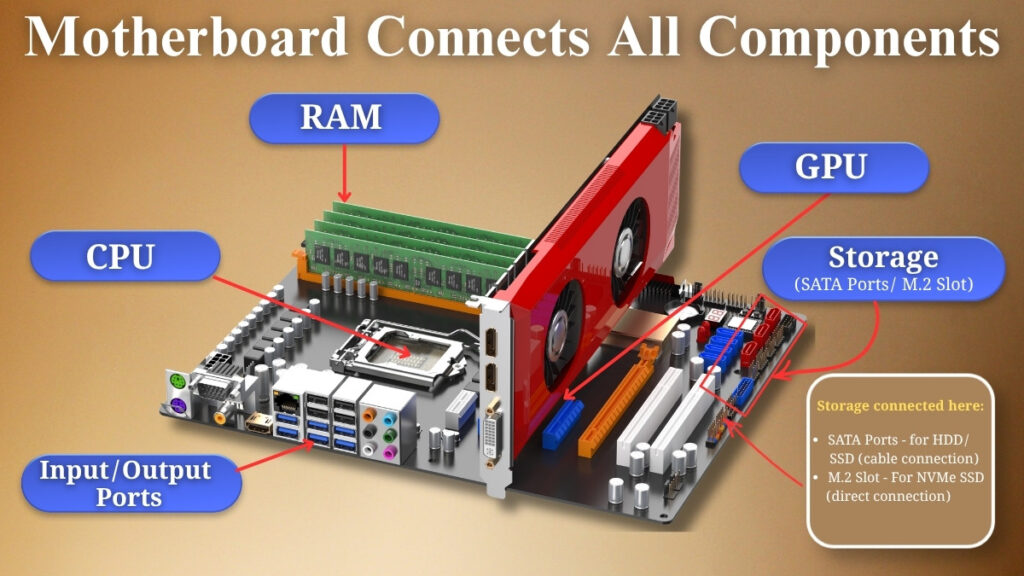
The motherboard can be defined as the main printed circuit board (PCB) that connects all the key components in a computer. This is because the motherboard acts as the backbone of the computer where all the hardware devices are installed and linked.
In a simple way, the motherboard is a platform that connects all devices together and enables them to communicate and work in coordination. Without this platform, every part is a separate and useless device.
Every time a computer performs a task, there is a flow of information between various hardware devices like the central processing unit, memory, and storage drives. The data exchange occurs through the motherboard at an extremely high speed, that’s why the computers we use today are fast and responsive.
Another characteristic of the motherboard is that it offers several slots, ports, and connectors. Through them, users can add new hardware or replace old hardware. With such characteristics, it becomes possible to customise the computer based on requirements for different purposes like gaming, business, or even personal usage.
As a result, the computer cannot function at all. Without a motherboard, it would not be possible to connect important parts such as the processor, RAM, or storage devices.
Main Functions of a Motherboard
The motherboard ensures the computer runs properly by carrying out various important tasks. Although they are not directly visible, these features are important to system stability and smooth performance.
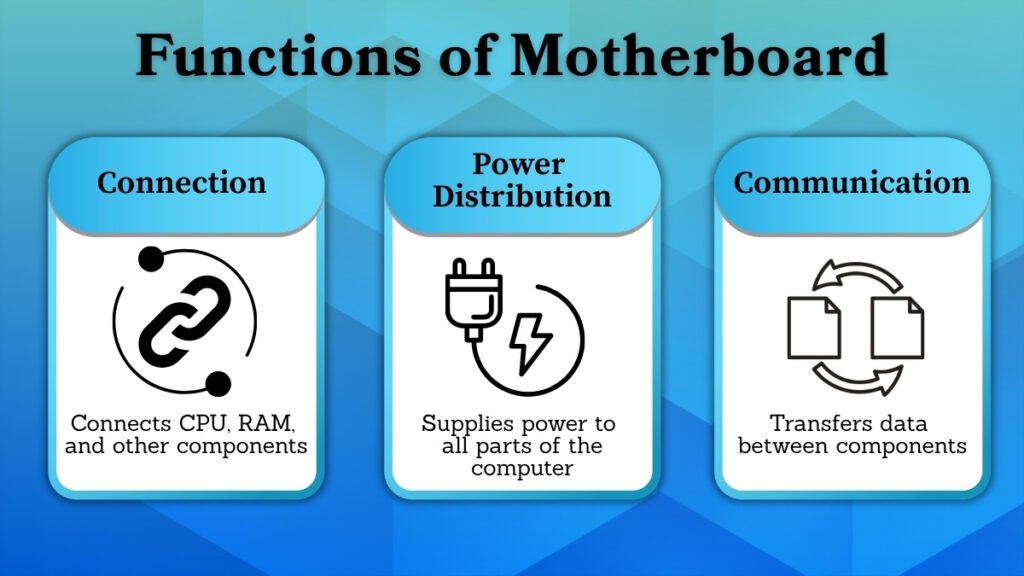
1. Connecting All Computer Components
Connecting all of the computer’s major components is one of the main functions of the motherboard.
The components, which include the CPU, RAM, storage units, and input-output ports are connected to the motherboard. It is like the base on which all the parts are connected.
All of the parts are able to function as a single system because of this connectivity. These components would operate independently and would not be able to carry out any useful tasks without the motherboard.
2. Power Distribution
Power management inside the system is another important function of the motherboard.
The computer gets electrical energy from the power supply unit (PSU), which is then distributed to various computer parts like the CPU, memory, hard disk drive, and so on. The electrical energy distribution process is controlled in such a way that the proper amount of energy required is supplied to each component for proper functioning.
Power distribution efficiency is extremely important because too much power or not enough power may result in performance problems or, physical damage to the computer hardware. The motherboard is responsible for distributing power in an efficient way.
3. Communication Between Components
The motherboard’s ability to facilitate communication between various computer components is another essential role.
Data transfer between the CPU, memory, storage devices, and other parts is made possible by it. Throughout the computer’s function, this communication takes place continuously.
For example, when a file or program is opened, the CPU issues a command to the storage unit, which then delivers the necessary data to the memory for fast processing. All this data transfer occurs through the motherboard.
The computer would not be able to carry out tasks efficiently without effective communication, and the system would become slow or unresponsive.
Main Components on a Motherboard (Overview)
The motherboard is made up of many parts and sections whose role is to connect different parts of the computer together. Knowledge about these parts enables users to understand how the computer functions inside.
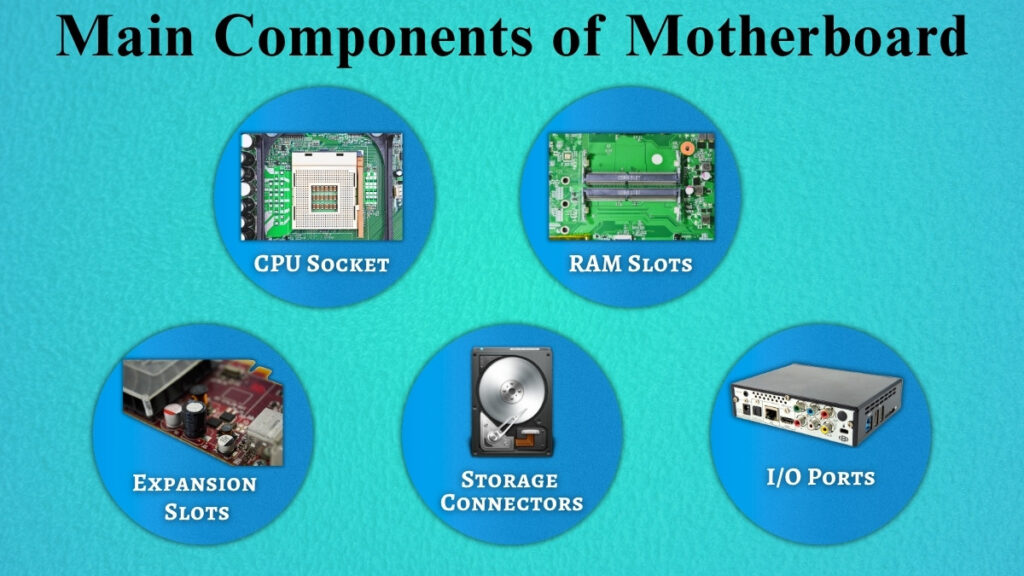
CPU Socket
The processor is installed on the motherboard in the CPU socket.
It enables the motherboard and CPU to be connected both physically and electrically. The CPU can interact with other parts of the system through this connection.
Before installation, it is important to confirm that the CPU and socket type are compatible because each motherboard supports a different set of processors.
RAM Slots
Memory modules are installed in the system using RAM slots.
The computer can store temporary data that is required while carrying out activities in these slots. This temporary storage helps in improvement of multitasking skills and speeds up data processing.
The computer may run multiple programs at the same time without slowing down if additional RAM is installed, which improves overall performance.
Expansion Slots
Users can add more parts to the system by using expansion slots.
For example, these slots can be used to install network cards, sound cards, and graphics cards. This helps to improve the computer’s operation and performance.
Additionally, these slots make it simpler to update the system later on without having to replace the motherboard or computer entirely.
Storage Connectors
Hard disk drives (HDDs) and solid-state drives (SSDs) are examples of storage devices that are connected through storage connectors.
These connections enable the system to permanently store data including user files, operating systems, and programs.
The speed and error-free transfer of data is ensured through a reliable and secure connection, which is important for the entire functionality of the system.
Input–Output (I/O) Ports
External devices are connected with a computer through input-output (I/O) ports.
These ports are used to connect devices including keyboards, mouse, displays, and USB drives. They make it possible for users to communicate with the system and transfer data between internal and external parts.
For easy access, these ports are often located on the side or back of the computer.
Role of Motherboard in Daily Computer Use
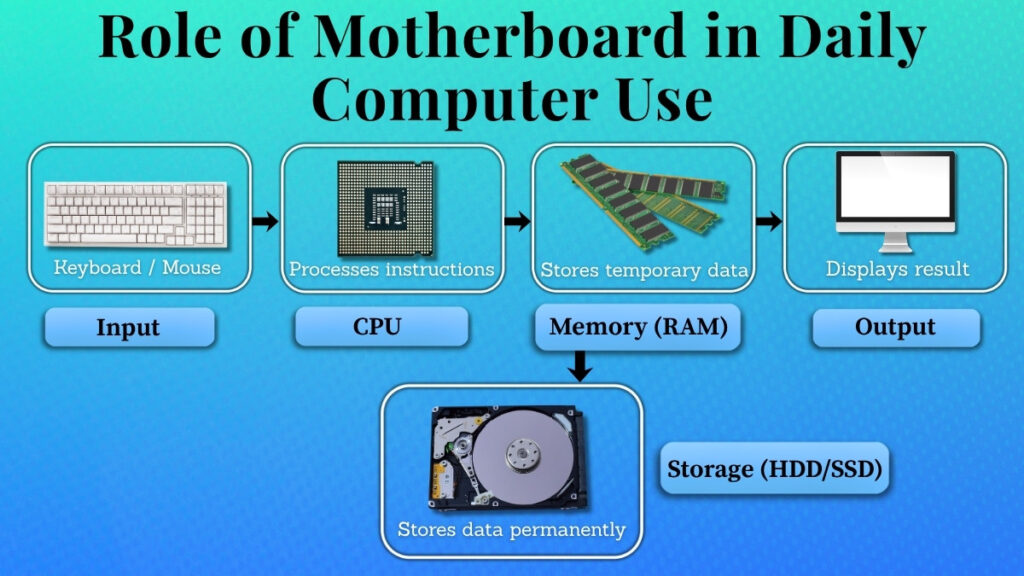
The motherboard is important to the management of all computer operations in daily life.
There are several components involved in every action you perform. For example:
• CPU processes the given instructions.
• Data is temporarily stored in memory.
• The storage device retrieves data that has been stored.
These parts all work together through the motherboard to complete their task. Simple tasks such as pressing buttons, opening files, and changing programs cannot be achieved without cooperation among these parts.
The motherboard is responsible for this coordination, ensuring that the system runs smoothly and effectively.
Why the Motherboard Is Important for Performance
The computer’s overall performance is directly impacted by the motherboard.
This helps to ensure that everything is well-connected and communicates instantly. A good quality motherboard will contribute to the efficiency of the entire computer system because of proper communication among its parts.
However, if the motherboard itself is not functioning properly, then the entire computer might have some serious issues, from slowing down performance to system crashes or failing to start altogether.
Having a properly designed motherboard would increase coordination among its various components, which improves speed, stability, efficiency, and overall performance.
Motherboard vs Other Computer Parts (Simple Understanding)
While other parts carry out specific functions, the motherboard can be understood as the base of a computer.
For example:
• CPU: It manages processes
• Memory: Holds temporary information
• Storage: It stores long-term data.
Each individual part performs its function, but it relies on the motherboard for connection and cooperation. In the absence of the motherboard, these parts cannot interact with one another, and thus the computer will not function as a complete system.
Care and Safety of the Motherboard
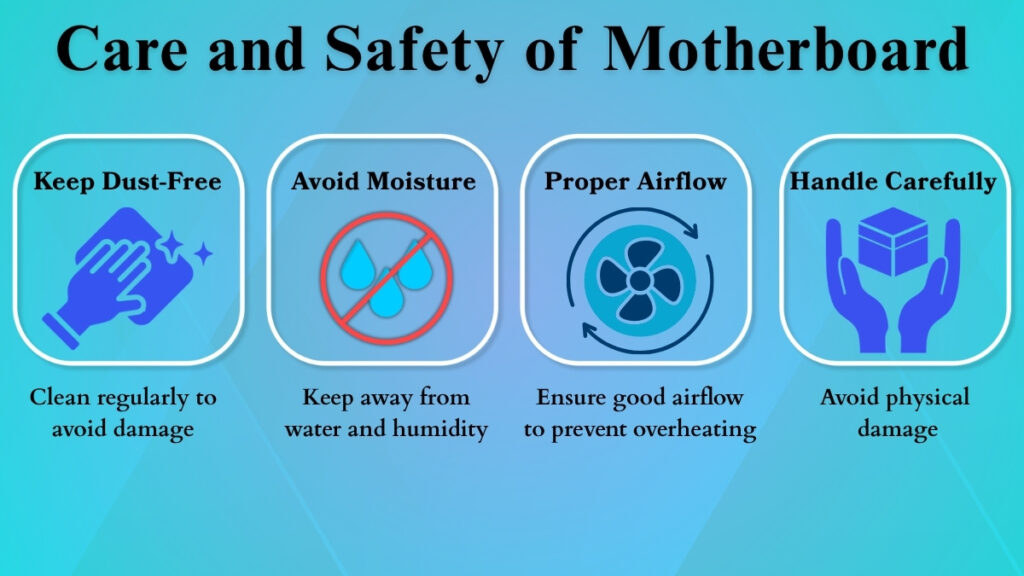
The health and functionality of the computer depend on the motherboard being properly maintained.
Here are some simple tips for safety:
• Ensure that the system is clean and dust-free
• Protect the computer from any moisture
• Be careful while handling the computer
• Make sure there is enough airflow in the system to avoid overheating
• Place the system in a safe location
Hardware issues are commonly caused by heat and dust. The motherboard’s life may be increased and system performance can be enhanced with daily routine cleaning and proper maintenance.
Conclusion
The motherboard is a powerful component because it works as the main part in a computer which keeps all components connected and working together in a proper way. It helps in maintaining the overall structure of the system and managing power and also providing communication between different devices.
From every simple task to more complex functions, everything depends on how smoothly these processes are handled by the motherboard. The chances of performance issues reduce, and the system works smoothly if it has a reliable motherboard.
Thus, the motherboard acts as the base which keeps the entire system connected, stable and ready to perform every task. For beginners who are learning about computers, understanding the role of the motherboard provides a clear knowledge of how all parts work as a single unit.