
What Is Claude AI and How Does It Work? Beginner Guide
Introduction
Artificial intelligence (AI) assistants have proven to be valuable in several practical applications. For example, a user can use an AI assistant to understand a topic, improve a draft, find a solution to a coding error, or create a summary of a large document.
Claude is an AI assistant that helps users with tasks such as writing, learning, coding, analysis, research, and document-based work, among several others. But how does the AI assistant function? And what differentiates it from a search engine or chatbot?
Let’s explore Claude, its capabilities and how it works.
Introducing Claude AI
Claude is an AI assistant developed by Anthropic that can help users with writing, learning, coding, and other document-based tasks. These large language models are trained to understand and generate natural language, enabling Claude to respond to prompts in a conversational manner.
For example, a user can ask Claude to explain a coding concept, summarize a long document, or improve a draft. It can perform similar tasks with files and images in supported environments, which helps when the information a user wants to use goes beyond a simple prompt.
Think of it as an assistant that uses context instead of a question and answer approach.
How Does Claude AI Work?
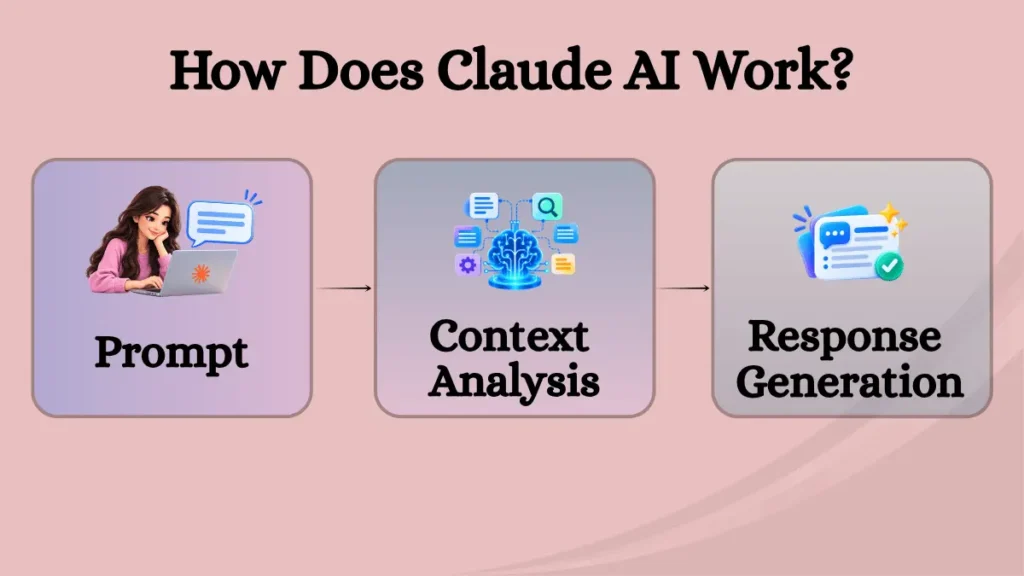
To understand how Claude AI works, let’s look at the process from giving a prompt to receiving a full response.
You Start With a Prompt
Everything starts with a prompt, a short question or statement. This can be as simple as ‘Explain APIs in simple words’ or a more elaborate request depending on the task. However, the user should try to provide enough context for Claude to deliver a satisfactory response. For example, A user should not simply ask ‘Give me a summary’. Instead they could write ‘Give me a 300-words summary highlighting the key takeaways of this report.’
Claude Looks at the Context
The next step involves looking at the context of the request, including any supporting files or images. Claude’s language model works to understand how the prompt and context relate to one another and generate a response based on the instructions. It accomplishes this by using patterns in the data to train itself. This is also the reason why the conversation can continue seamlessly, the model recognizes context from past prompts.
The AI Assistant Generates a Response
Claude then works to generate a response based on the instructions, prompt, and context. Note that it does not depend on a database of answers but works to create the information based on the request. This also means that users can ask follow-up questions or change the instructions and ask it to resubmit the response.
What Can You Do With Claude?
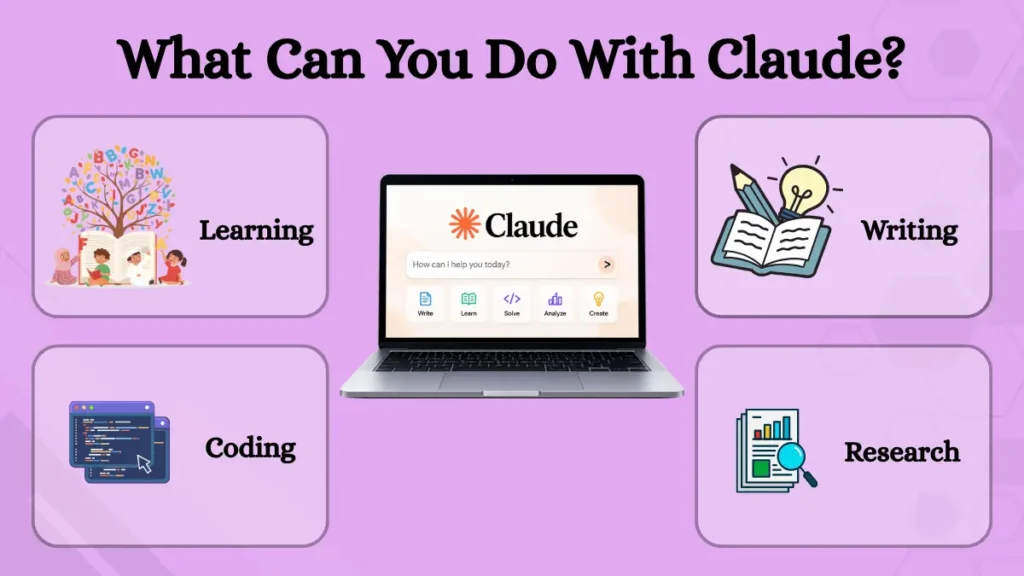
Claude AI can help you with a variety of tasks depending on your needs.
When You Need to Understand Something
For example, a student can use Claude AI as a learning assistant to ask it to explain a concept, give examples, or answer questions. For instance, the user can request that “any topic be explained like a beginner.” This is an improvement over a standard search since the user can request specific examples or ask clarifying questions if anything is not clear.
In addition, note that user can work with files and images in the supported conditions. This can prove crucial while learning a concept from notes, a report, or similar materials.
When You Need to Write
Claude AI can also help users write emails, articles, reports, summaries, outlines, and more. Possible instructions include rephrasing a paragraph, summarizing a long document, outlining an article before writing it, and similar tasks. The tool can also help user to revise the text, including asking it to change the tone or format.
For example, user can submit a draft and ask the AI assistant to re-submit it in a more organized manner. Alternatively, user can also ask to rewrite a paragraph if it is unclear or confusing. However, user should always re-read and edit the text, especially if the objective is to sound knowledgeable or use specific facts.
When You Have Too Much Information
Reviewing a long document can be time consuming, and Claude AI can help extract the key information. For example, user can submit a request and ask for the main insights, takeaways, or findings summary of a long report. This can be particularly useful if the objective is to highlight the essential details rather than go through every page.
When You Want to Build Something
Claude AI can prove crucial while developing something new in the field of programming. It can help write code, explain it, identify possible issues, and suggest solutions. It can be particularly useful for beginners who struggle to understand a specific coding segment.
Anthropic has also worked to provide additional tools geared toward advanced coding and multi-step tasks. This further highlights the potential applications of Claude AI in real-world situations.
The Part that Makes Claude AI More Than a Chat Window

One of the innovative aspects of Claude AI is the use of Artifacts. Unlike traditional prompts and responses, Claude can move certain information, including documents, code, diagrams, dashboards, designs, and more, to a different workspace. This workspace, sometimes referred to as the artifact space, ensures that one can continue to work on what Claude has generated.
In other words, Claude AI can be used as part of a project rather than a single request. This makes it possible to ask a clarifying question or request changes.
When One Conversation Is Not Enough
Claude also allows switching between Projects to ensure that user can organize files, prompts, and instructions more effectively. For instance, user can use a Project to work on the requirements of a course and switch to another Project while working on a different task. Similarly, someone can create a project to organize pertinent information or keep instructions for a particular file or set of files.
The benefit of these Projects is that they allow organizing files and instructions, ensuring that the relevant information is always available. User can also provide Claude with the instructions and files it needs to operate, thereby improving the results of a prompt.
Claude’s Not Always Right
Claude is an AI assistant, and as such, it relies on predictive models to respond to prompts. This means that it is not always accurate and can, in some cases, provide information that appears correct but is ultimately wrong. While relying on information from Claude, it is therefore, crucial to verify it using other, more reliable resources, particularly if the information pertains to critical areas, including finance, medicine, or other fields.
It is also advisable to refrain from sharing private, confidential, or sensitive information with the AI assistant, as this could compromise user’s privacy and security.
Claude AI, Search Engines, and Traditional Software
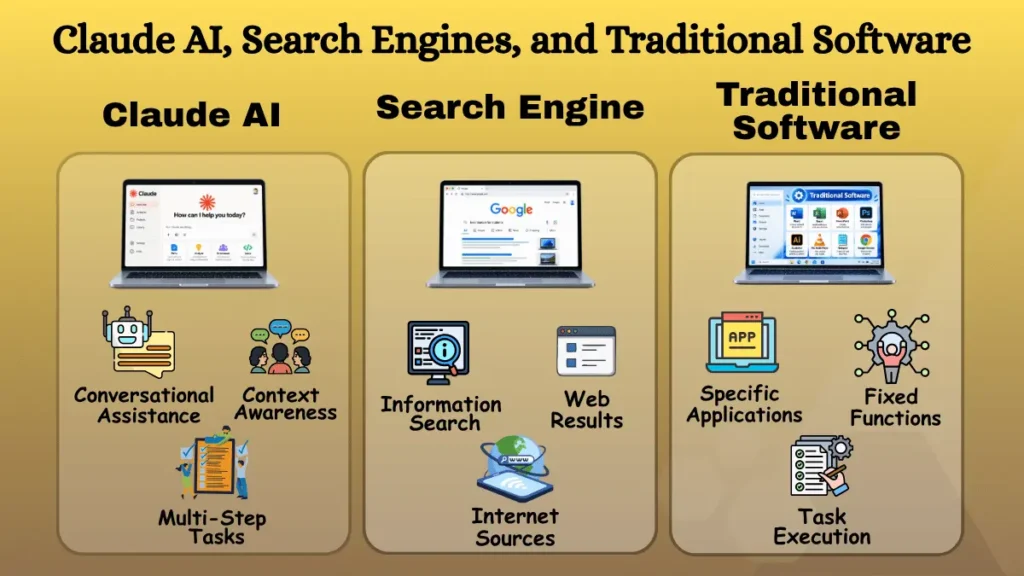
Claude can function as a search engine, and the two technologies are somewhat similar since they can help answer questions. However, Claude is designed to help interact with the user to provide the most relevant response possible. Additionally, Claude can use search results when the feature is available, enabling the assistant to deliver the best answers. On the other hand, a search engine is primarily intended to help locate information on the internet.
Traditional software is also different, as it focuses on a specific application. Accounting programs, photo editors, and word processors are all examples of traditional software. On the other hand, an AI assistant is more flexible since user can use natural language to request specific actions.
Who Might Find Claude AI Useful?
Claude can prove valuable to many individuals since it can handle diverse tasks. In general, user should consider it a helpful assistant that can provide valuable information or insights when asked.
For instance, students can use it to ask clarifying questions or explain concepts in greater detail. Similarly, writers can use it to help write different types of documents, summarize texts, or request clarifications. Developers can also ask for information, explain code, or find coding errors. Researchers can use it to make sense of large volumes of information, highlight the main points, and identify interesting insights. Finally, professionals can use it to help them with document-based tasks or other monotonous duties.
That said, note that Claude is only as good as the instructions user gives it. In other words, a well-worded prompt that provides adequate context will yield better results than a vague request.
What Is The Future Of Claude AI?
The future of AI assistants revolves around their ability to handle increasingly sophisticated tasks. Claude is also evolving to offer more advanced language models, tools, and approaches to help users accomplish more. While it can already help answer specific questions, the focus is on enabling Claude to handle more complex tasks, including coding, research, tool use, and more. In practice, this means that Claude can operate like an office suite or help analyze an entire report to extract relevant insights. It is also geared toward helping users perform multi-step tasks, including asking questions to ensure that Claude AI understands the objective before attempting to accomplish it.
However, Claude AI will continue to rely on human input, and the ability to make complex choices will remain necessary to ensure that Claude accomplishes the desired tasks.
Conclusion
Claude is an AI assistant that can help users accomplish a wide range of writing, learning, coding, and document-based tasks. Artifacts and Projects enable turning a simple chat into a more involved and organized experience. Claude can be invaluable when it comes to finding information, clarifying specific concepts, or generating helpful insights. However, Claude can make mistakes, so it is always advisable to double-check crucial information before using it for academic, professional, or financial purposes.