
Single User and Multi User Operating Systems Explained in Simple Terms
Introduction
Different people utilize computers in different ways. Some computers are meant for personal usage while others are designed to serve and help many people at once.
Think about the laptop you use at home. Most of the time it is used by a person for activities like browsing the internet, attending online classes, watching videos, or creating documents. Now compare that with a computer system in a school, office, bank or large organization where multiple people need access to the resources at the same time.
Because computer needs differ, operating systems are designed in different ways. Some operating systems are designed for a single user, while others are built to manage multiple users at the same time.
These two categories are referred to as multi-user and single-user operating systems.
Understanding the difference between these two types is an important step for beginners learning how computer systems are organized. In this article, we will explore what single-user and multi-user operating systems are, how they work, their advantages and limitations, and where they are commonly used.
What is meant by single-user and multi-user operating systems?
Operating systems can be grouped in ways. One way is by how they support users.
- A single-user operating system is designed for a single person to use at a time.
- Multiple users can operate on the system simultaneously with a multi-user operating system.
Different locations have different demands, which is why these two kinds exist.
A student with a laptop does not need the same thing as a company with hundreds of workers.
They may need to use files, programs and resources.
When you understand this, it becomes easier to see why some systems are designed for individual use, while others are built for organizations and shared environments.
What is a Single User Operating System?
A single-user operating system is designed for one user at a time.
It helps a single user run programs, manage files, and perform everyday tasks.
Computers, laptops, and household appliances use this kind of operating system.
It helps one person get work done easily.
A single user operating system is what individuals use on a daily basis.
How a Single User Operating System Works?
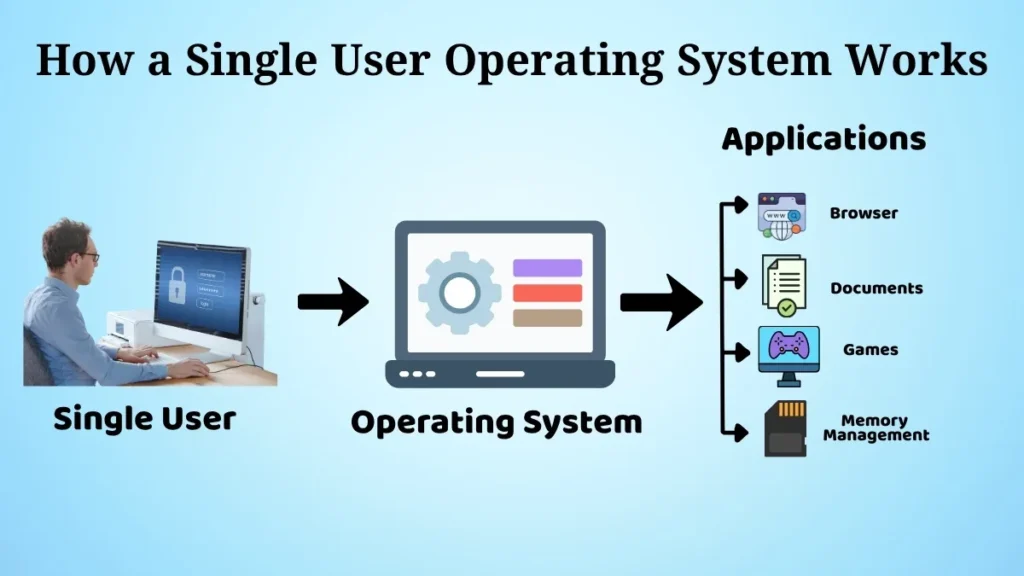
This operating system manages a single user’s tasks at a time.
Whenever you use a web browser, edit a document, or play a game, the operating system works behind the scenes.
It ensures that programs operate correctly, regulates devices, and provides memory for programs.
Since one user works on the system it is simple to manage resources.
This helps the computer run smoothly and efficiently.
It makes it easy for users to work, learn, or enjoy entertainment on the computer.
Advantages
Single-user operating systems are popular because they are simple to use for everyday computing tasks.
They are practical and easy to use for everyday computing activities.
Some of its main advantages are:
- They are easy for people who are new to computers to learn and use
- It is simple to manage and take care of the system
- They are perfect for people who use computers at home
- You can get to your applications and files quickly
- They are suitable for single-user use
- They do not require a lot of work to keep them running
Because of these qualities, most people use single user operating systems on their personal computers and laptops.
Limitations
They are not the best option in every circumstance, even if they are effective for one individual.
Some of the more well-known ones are listed below:
- They are not made for a lot of people to use the computer at the same time
- They do not work as well in big offices or schools
- They are not good at sharing things like printers and files with a lot of people
- They are not good, for managing a lot of users
Because of this, businesses and educational institutions typically choose more advanced systems that support several users.
What Is a Multi User Operating System?
A multi-user operating system allows multiple users to access the same computer system at the same time.
- Each user has their account, their own files, their own settings and their own permissions.
- It manages resources so every single person can work efficiently.
This type of operating system is often used in organizations where resources need to be shared among multiple users.
Large offices, universities, and research centers mostly use multi-user systems for their operations.
They need to share multiple resources like computers and printers.
How a Multi-User Operating System Works?
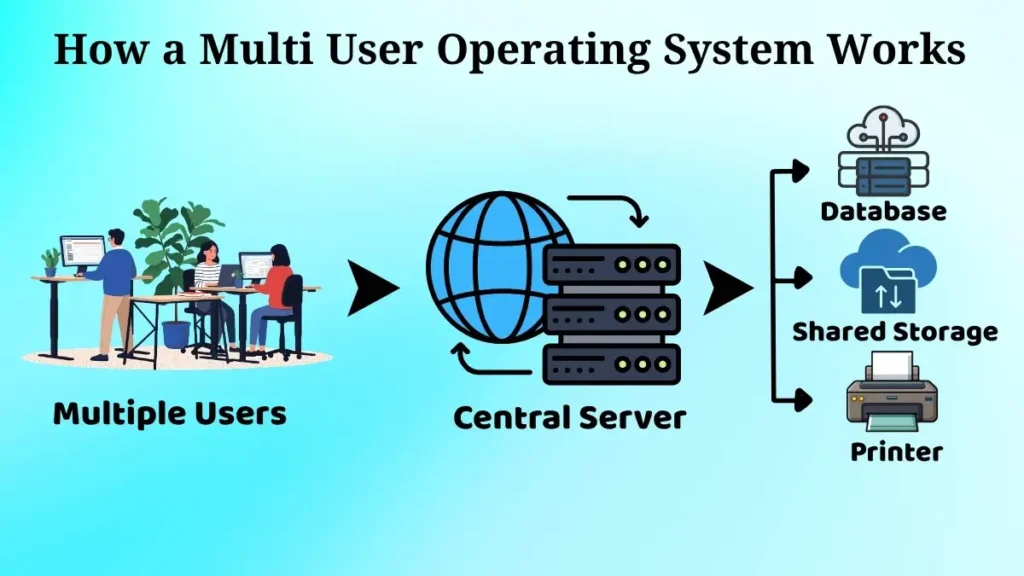
A multi-user operating system can respond to requests from multiple users simultaneously.
It shares resources like processor time, memory and storage space.
This is how multiple users are able to work without disturbing each other.
For example, employees from different departments in a company may use the same central server.
One employee views reports another employee updates records and another employee prints documents.
This makes them very valuable, in shared computing environments.
This operating system makes it possible for many people to use the system efficiently.
Advantages
A multi-user operating system is really good because it lets people share things.
This is helpful when you need to share resources with people.
Some of its main advantages are:
- A lot of people can use the system.
- It helps users share resources efficiently.
-
There is no need to provide a separate system for every user.
- Offices, schools, universities, and organizations may all benefit from it.
- It makes it easier for people in charge to manage everything.
These good things about multi-user operating systems help organizations work better and save money.
Limitations
Even with the advantages, multi user systems still have a few drawbacks. In actuality, the restrictions may seem rather genuine, particularly as the environment expands.
Some of the more common limitations are as follows:
- Setup and administration are more complex, so you usually need experienced administration, especially in larger environments
- There are higher maintenance requirements
- When user activity gets heavy, the overall system workload goes up
- You have to take extra care with security, and also with access control
Still, if many users need to reach the same shared resources, the benefits usually end up outweighing those drawbacks.
Difference Between Single User and Multi User Operating Systems
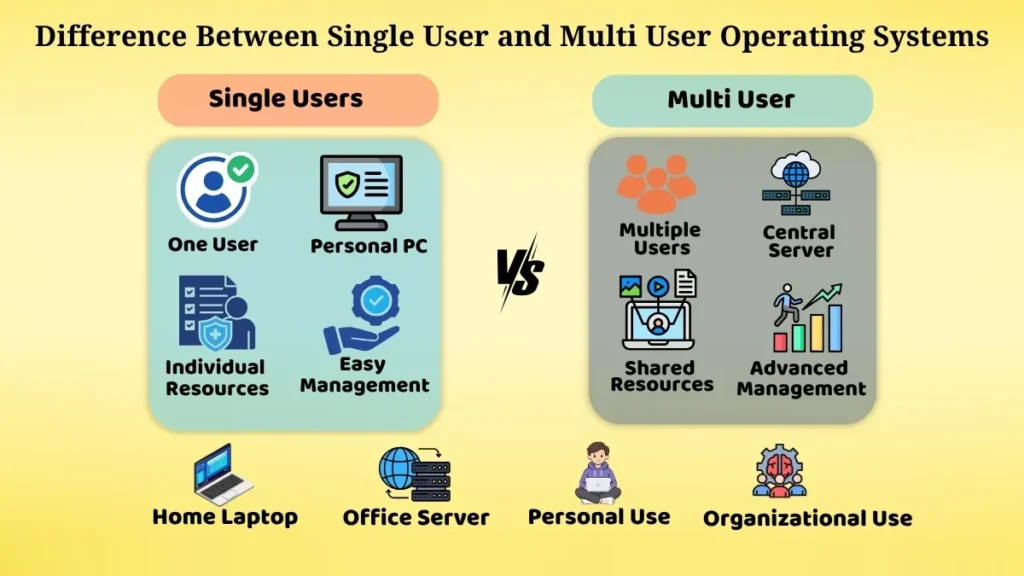
The main difference between these two operating system types is simply the number of users they can support. A single user operating system is built to offer resources and services to one user only, at a time. Meanwhile, a multi user operating system is designed to support multiple users and handle shared resources more efficiently.
Their usage settings are also not really the same.
Single-user operating systems are commonly found on laptops, desktop computers, and home systems. Multi-user operating systems are commonly used on servers and in organizations where many people need access to shared resources.
Another noticeable distinction is the whole idea of resource sharing.
Multi user operating systems are designed so users can share files, applications, storage, and similar assets in a smooth way. Single user operating systems, on the other hand, focus more on the needs of one individual user.
When you understand these differences it becomes easier to see why organizations pick one operating system type over another.
Real-Life Examples of Both Operating Systems
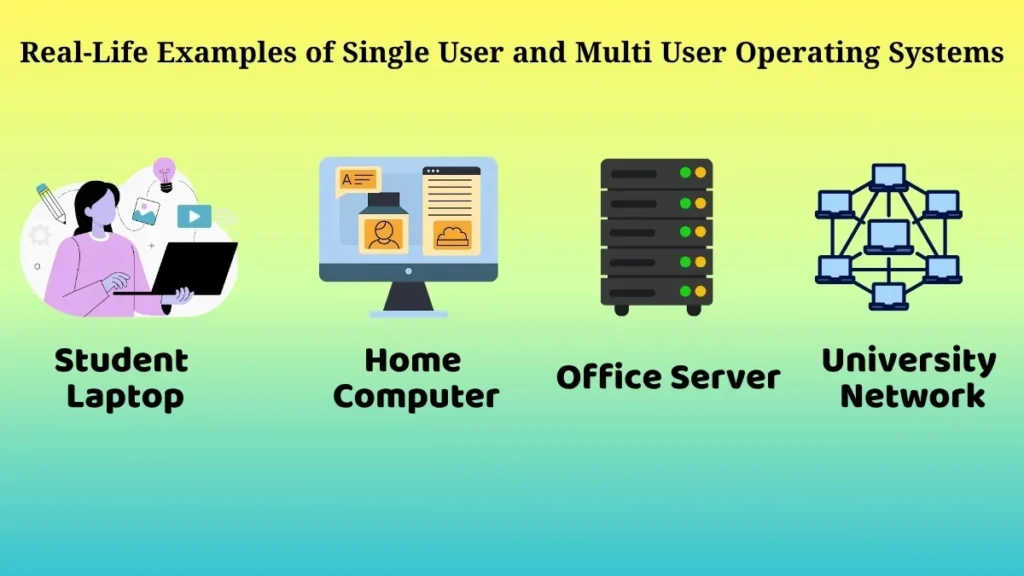
Examples of single user operating systems can be seen around us.
When a student uses a laptop to complete assignments, when someone watches movies on a computer or when a freelancer works from their desktop at home they are generally using a single user operating system.
Multi user operating systems are often found in setups.
For instance, employees in a company may access shared databases through a server.
Universities may provide systems for students and staff.
Banks and government departments also use multi user operating systems that support users working on the same infrastructure.
Although both serve purposes, still each plays an important role in everyday computing.
Why it Matters to Understand OS Types for Beginners
Understanding these operating system types helps beginners learn how different computer environments are organised and managed. When you start learning these terms you also build an understanding of how computer systems are organized, in a practical sort of way.
Some key benefits of understanding these concepts include:
- It helps to explain how different computing environments work
- It makes it easier to understand how organizational systems work.
- It builds a base for learning operating system concepts later on
- It also improves computer knowledge
- It helps students understand how resources are managed in real situations
Once these basics are clear, learning more advanced topics in computer science and information technology becomes much easier.
Conclusion
Single-user and multi-user operating systems are two broad categories of operating systems that serve different needs.
Single-user operating systems are best for everyday computing, where one person uses the system for regular tasks.
Multi user operating systems are designed for environments where many users need access to shared resources and services.
Both are widely used and they play a vital role in modern computing.
Whether you’re using a laptop at home, or accessing systems in a school or workplace, one of these operating system types is helping everything run smoothly.
For beginners, understanding these concepts provides a strong foundation for learning more about operating systems and computer technology in the future.
It’s very effortless to find out any topic on web as compared to
books, as I found this article at this web page.