
What Is Google Gemini and How Does It Work? Beginner Guide
Introduction
You may have already heard about Google Gemini through using Google products or reading about artificial intelligence. Google Gemini is Google’s artificial intelligence assistant meant to help people with anything from answering questions and giving explanations to helping with writing and analyzing information and coding.
Unlike a search engine, with Google Gemini you can have a conversation, or ask for something specific, like a search or explanation. You can also upload a file and ask the assistant to work with it, or ask follow-up questions.
But, what is Google Gemini exactly, and what is happening in the background when you are asking for something?
What Is Google Gemini?
Google Gemini is Google’s AI assistant that allows you to interact with its artificial intelligence.
The assistant can help with a variety of things, like learning about a topic, writing emails, coming up with ideas, summarizing information, making plans, and more. What makes Google Gemini stand out is that it is not focused on just text. Depending on your plan, you can also upload an image and ask Google Gemini about it. For example, you can ask for an explanation for a graph, instead of describing the graph for the assistant.
How Does Google Gemini Work?
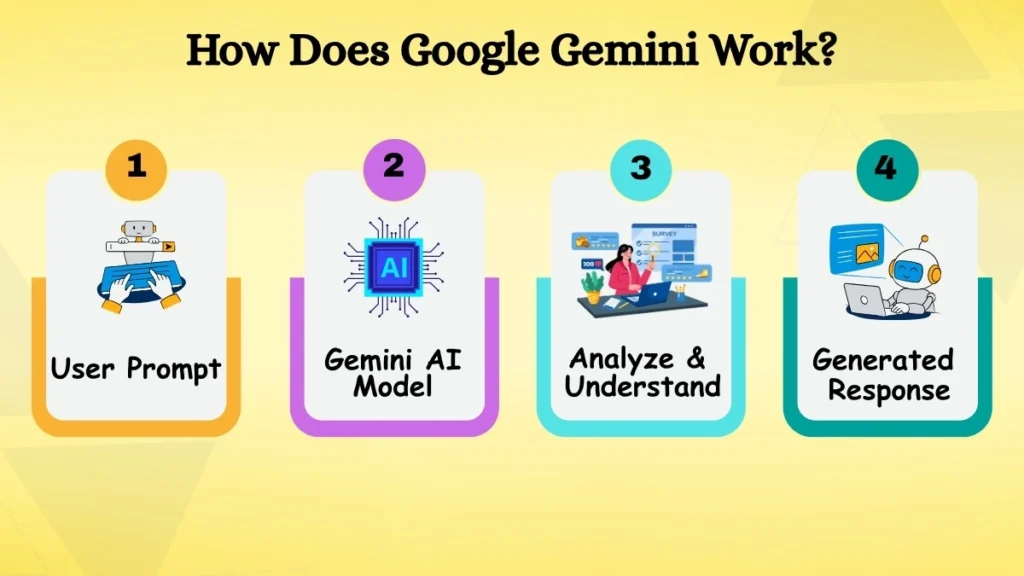
Google Gemini uses AI models that have been trained on huge amounts of information. The AI learns from the information, and then can recognize patterns to know what to do when it receives a prompt, and how to respond to it.
The model looks at the prompt, and the conversation history to analyze and understand the text and create a response based on the model’s knowledge and capabilities.
That does not mean that every answer is always right or truthful, since Google Gemini is an AI, and not a real person. Like many other Generative AI tools, Gemini might make up information or get an answer wrong, so it is important to always double-check what Gemini says.
What Is a Multimodal AI Model?
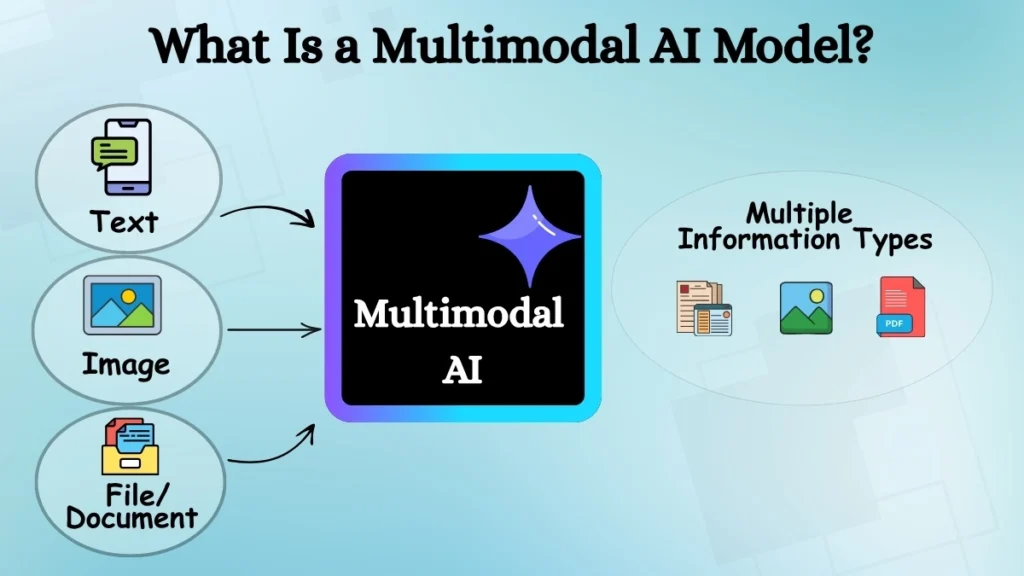
The word ‘multimodal’ may sound intimidating, but, in this case, the concept behind it is not that complex. A multimodal AI model is simply a type of AI that can process and understand different modes of information, not just text.
For example, you could ask Gemini a question in text, provide an image, or even send a file with text. Depending on the available models and features, Gemini can process and use different types of information provided to it.
Say, for instance, that you have a large file for college and do not have enough time to go through each page. You could simply provide the file for Gemini and ask for the most important points. Another example is when you have an image with some text; you could upload it to Gemini and ask it to explain the information on the image to you.
This way, you can interact with Gemini in a more natural, multifaceted way than a simple chatbot.
What Can You Do With Google Gemini?
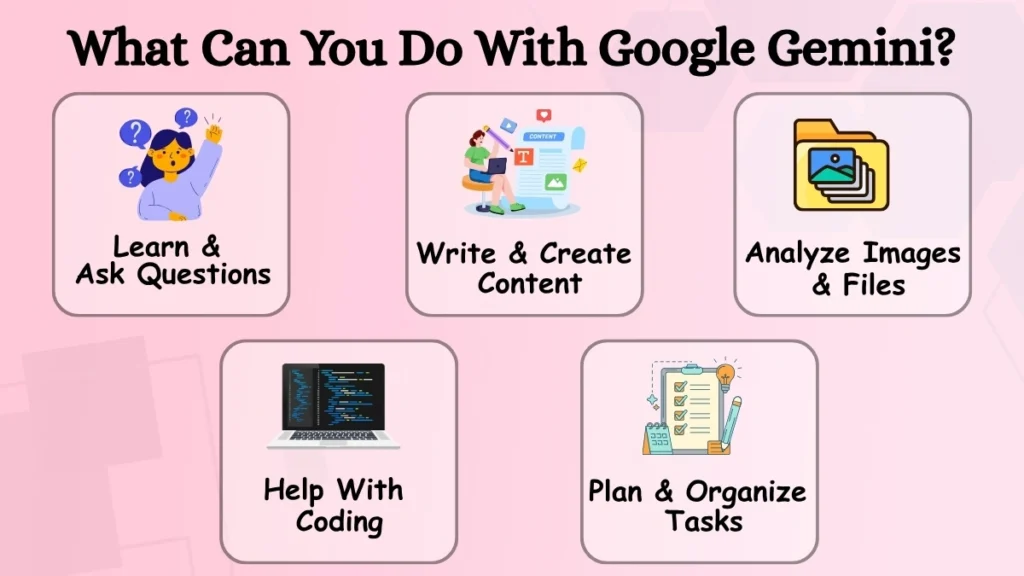
Ask Questions and Learn
Google Gemini is great for learning new things and for asking questions when you do not know the answer. You can ask Gemini to explain something to you, clarify, summarize, or give examples of a particular thing.
You can also ask follow-up questions and do not need to ‘restart’ the conversation every time. This is invaluable for more complex conversations, like studying specific topics.
Write and Create Content
Google Gemini can also help you write and create content. You can use Google Gemini to write emails, drafts of your articles, outlines, and even get help with brainstorming.
For example, if you have a rough idea of what you want to say in your email or article but do not know how to organize your thoughts, Gemini can help you put those ideas on paper (or screen). The final draft will need editing and refinement, but Gemini is a great tool to help you get unstuck and give your content a rough shape.
Analyze Images and Files
Gemini can also analyze the contents of the image or file. You can use this feature to, for example, summarize a document, get a description and explanation of the text in the image, find specific information, or extract relevant passages for you.
Depending on the mode and your account subscription, Gemini can also process and analyze files. This is a great way to avoid combing through large documents in search of specific information.
Help With Coding
Gemini is a great tool for both programmers and people that want to learn coding. You can use Gemini to understand concepts, get examples of particular lines of code, and help debug your scripts.
Debugging is probably one of the most useful applications for novice coders. When you get an error message, Gemini will be able to explain what caused the issue in your code. A clever way to use Gemini is to not only ask for the correction of the code but also to ask what was wrong and why. This way, you can learn and improve your skills for future reference.
Plan and Organize Tasks
Gemini can also be used for everyday planning. You could use it to plan out a study session, organize your thoughts for a project, make a to-do list, or come up with a list of activities to do for an upcoming event.
Its usefulness can grow when supported Google services and features are connected as Gemini may be able to access information that is already stored with those services.
How Is Gemini Connected to Google Services?
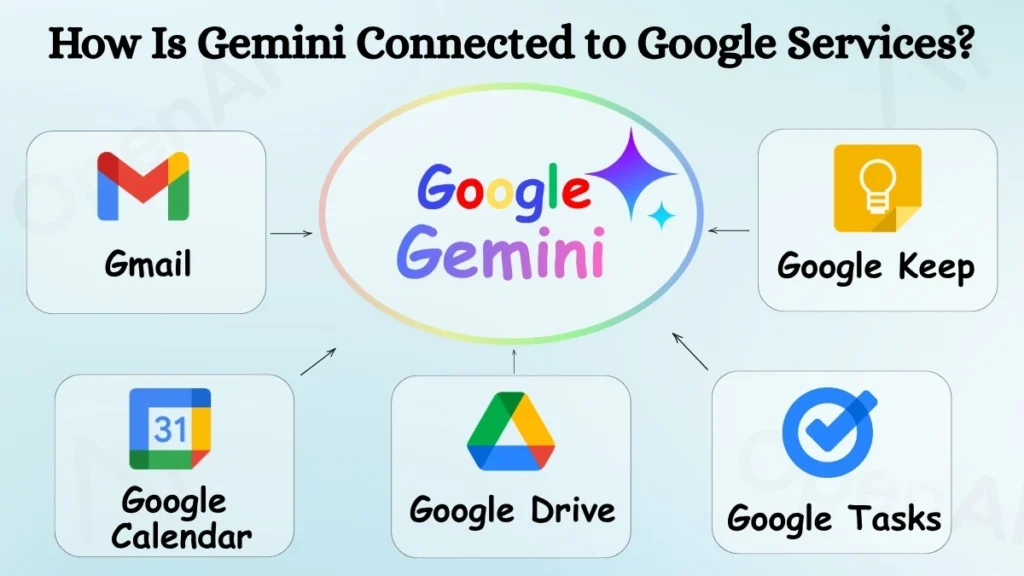
Google has been working to integrate Gemini into its larger ecosystem. Depending on your account, settings, location, subscription, and available features, Gemini can be integrated with services such as Gmail, Google Drive, Google Calendar, Google Tasks, Google Keep, and others.
For example, an integration with Gmail or Drive can make it easier to work with information that you already have stored in your Google account. Instead of manually searching through several files, supported features may enable Gemini to help in finding or summarizing relevant information.
These integrations can enable Gemini to feel less like an independent chatbot and more like an AI-powered assistant that works with other Google services.
What Are the Benefits of Google Gemini?
One of Gemini’s main benefits is the range of tasks that it can accomplish. One single AI assistant can be used for:
- Learning and understanding new concepts
- Writing and brainstorming
- Planning and organizing
- Coding and programming
- Supporting images and files
Its ability to understand multiple mediums can also be useful if a task goes beyond text. For people who already use Google services frequently, supported integrations can bring another level of convenience.
However, its usefulness will depend on the specific task, model, and features that are available to the user.
What Are the Limitations of Google Gemini?
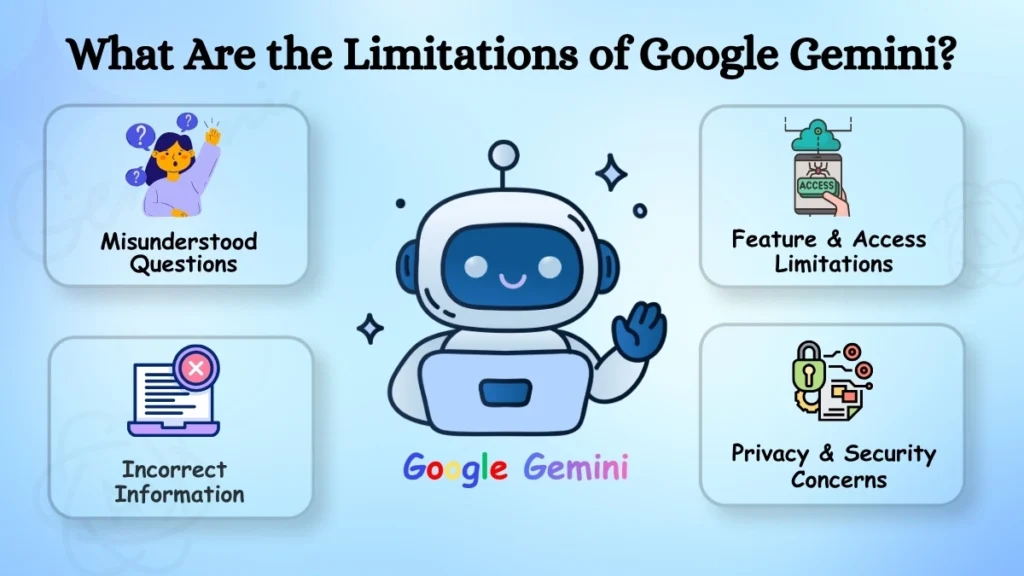
Although Gemini is often accurate, helpful, and sophisticated, it is by no means perfect and can make errors, misunderstand questions, and provide answers that sound correct but contain inaccuracies.
Therefore, it is important to double-check information that is critical to your work, studies, finances, medical conditions, or other essential areas. Additionally, access to certain features may depend on your preferences, location, account, device, or the AI plan purchased, and other factors. Moreover, Google may periodically update the available models and their functions or modify the terms and conditions of using its AI technology.
One also needs to consider privacy and security issues and be cautious about giving personal, sensitive, or confidential information to any AI software.
Is Google Gemini Free to Use?
Some of Gemini’s features are available for free when you don’t have a paid subscription to Google’s AI system. However, the company also offers multiple paid plans to choose from, which provide more benefits, functions, and models to work with.
Since Gemini AI is a constantly developing technology, the list of its features and tools may vary depending on the platform, location, account type, and payment options. Therefore, specific functions may become available or inaccessible when a particular plan is changed.
What Is the Future of Google Gemini?
Google is actively developing Gemini and is working to implement the technology in its numerous platforms and products, as well as transition from being an answering machine to an AI that can perform various tasks.
Therefore, in the future, Gemini may become further integrated into people’s daily lives and act as an all-in-one assistant for work, studies, communication, and organization.
Because Gemini is a constantly developing technology, there may be significant changes in the features and functions available and how the AI interacts with end-users.
Conclusion
Gemini is an innovative new AI assistant from Google that enables people to communicate with artificial intelligence in natural language and solve various tasks, ranging from learning and writing to planning and coding. Its multimodal nature and connection to Google and its numerous services and products make Gemini an extremely versatile and valuable tool.
However, people need to consider multiple factors before using the AI, such as its potential for errors, limitations, and privacy and security concerns. One must also remember to treat Gemini’s answers with a grain of salt and not take them as factual information but instead use one’s own knowledge and research to verify the accuracy of the AI’s responses.