
System Software vs Application Software Explained for Beginners
Introduction
One of the first topics that many people who are new to computers encounter is system software vs application software. When a computer newbie starts to get involved with computers, they soon run into a lot of technical jargon which can be quite daunting. Two words that are most common are system software and application software and as these are both types of software, many new users believe that these terms are synonymous. This is far from the truth, as the two work very differently.
Take for instance the booting process of your machine. When it turns on, the machine boots up, loads an operating system and all the necessary utilities to allow a user to operate it. Later on the user might then open a web browser, watch a movie or create a document. Though these actions might seem interrelated, they are dependent on the underlying cooperation of two distinct categories of software.
Understanding the distinction between system and application software is a fundamental computer concept every computer user should be aware of. It helps you to understand much of what goes on behind the scenes, and will ultimately make learning about all other computer-related subjects far easier.
In this article we will discuss both types of software, explain what they are in easy terms, and demonstrate how each makes the computer functional.
What Is Software? (Briefly)
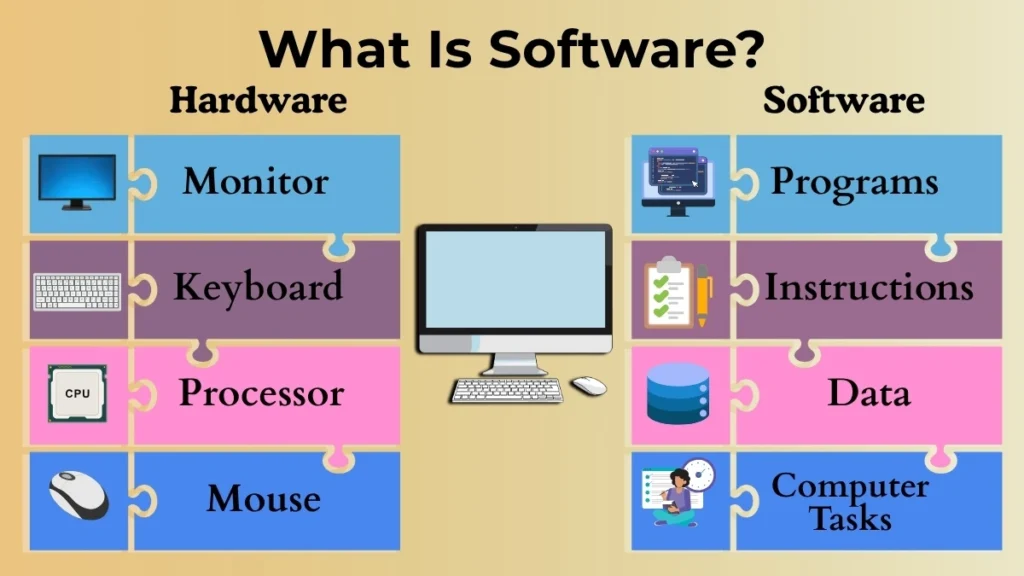
Before we go into detail comparing both types of software, it would be beneficial to have a working definition of the term ‘software’.
Software is an entity that is a collection of instructions which can be interpreted by the computer in order to carry out certain operations. Software is the intangible, as opposed to the physical, part of a computer which includes physical devices such as the keyboard, the monitor or the processor. This consists of programs and data.
One way in which software and hardware could be compared is as the instructions which can direct a computer body, such as a robot, which acts as the hardware.
Without software the computer body remains inert, incapable of any meaningful function at all.
What Is System Software?
System software is the base that a computer works on. Its main job is to manage the computer and make sure everything works well.
When you turn on your computer, system software starts running immediately. It gets the system ready, manages memory, controls the hardware, and provides an environment where other programs can work.
Most people do not use system software directly often because it works quietly in the background. However, it always plays a big role in keeping the computer running properly.
Think of a school. Student attend classes and participate in activities, but none of that would be possible without the people in charge managing schedules, classrooms and other resources. In a way system software manages the computer so that other programs can do their jobs.
Examples of System Software
Some common examples include:
- Operating systems that manage the computer
- Device drivers that help hardware talk to the system
These programs are very important because they let the computer and its hardware work correctly.
What Is Application Software?
Application software is the software that people use directly to get things done.
Whenever you open a program to write something, browse a website, edit a picture, or watch a movie, you are using application software.
Unlike system software, which takes care of the computer, application software helps users perform specific tasks. Different applications are made for distinct things.
For example one application helps you make documents while another helps you talk to friends online. Each application is designed to perform a specific task for the user.
Application software needs system software to work. Without the help of the operating system and other system parts, applications would not work.
Examples of Application Software
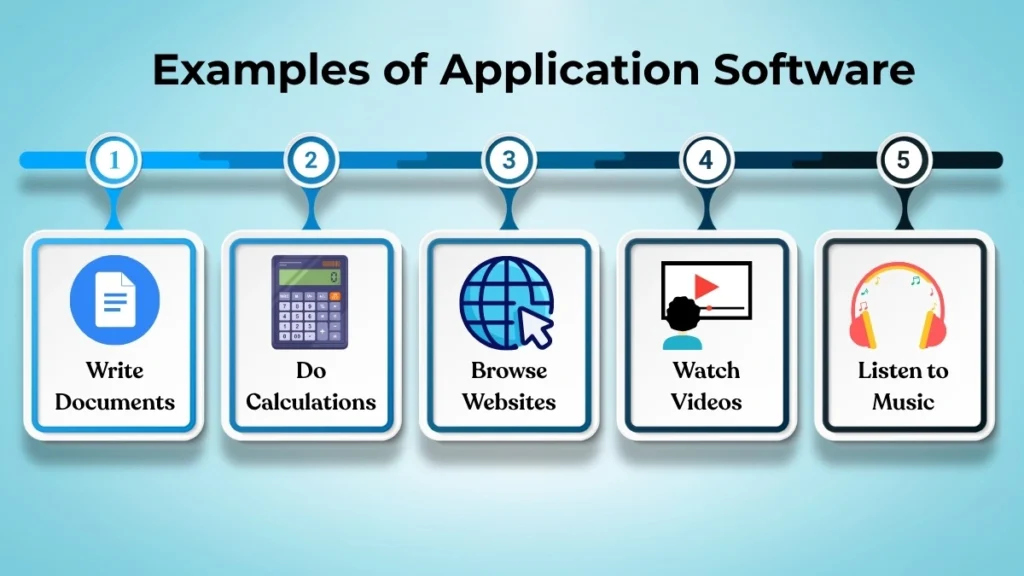
Application software helps people do things like:
- Write documents
- Do math calculations
- Look at websites
- Watch videos
- Play some songs
These are things people do every day on computers, laptops, tablets or smartphones.
Key Differences Between System Software and Application
Software
To understand the difference, think about what they do.
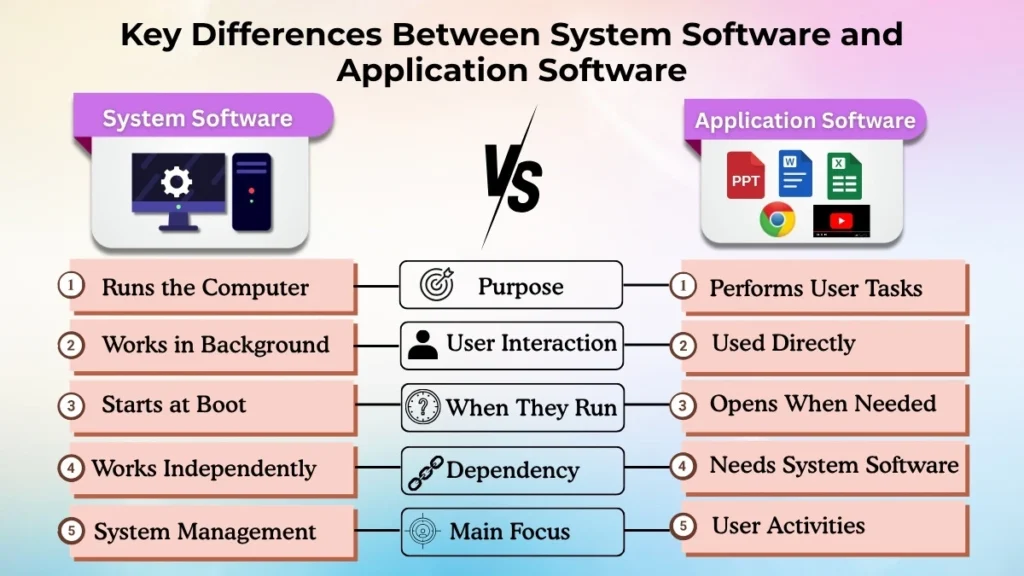
Purpose
System software helps run the computer. Application software helps users do things.
User Interaction
Users work with application software every day. System software works in the background and does not require much attention.
When They Run
System software starts when the computer turns on. Application software starts when a user opens it.
Dependency
Application software needs system software to work well. System software can work without any specific application installed.
Main Focus
System software helps the computer work properly. It takes care of the computer itself. On the other hand, application software helps users perform tasks.
A simple way to think about it is that system software makes the computer run. Application software helps you use the computer to do things.
Why Both Are Important for a Computer?
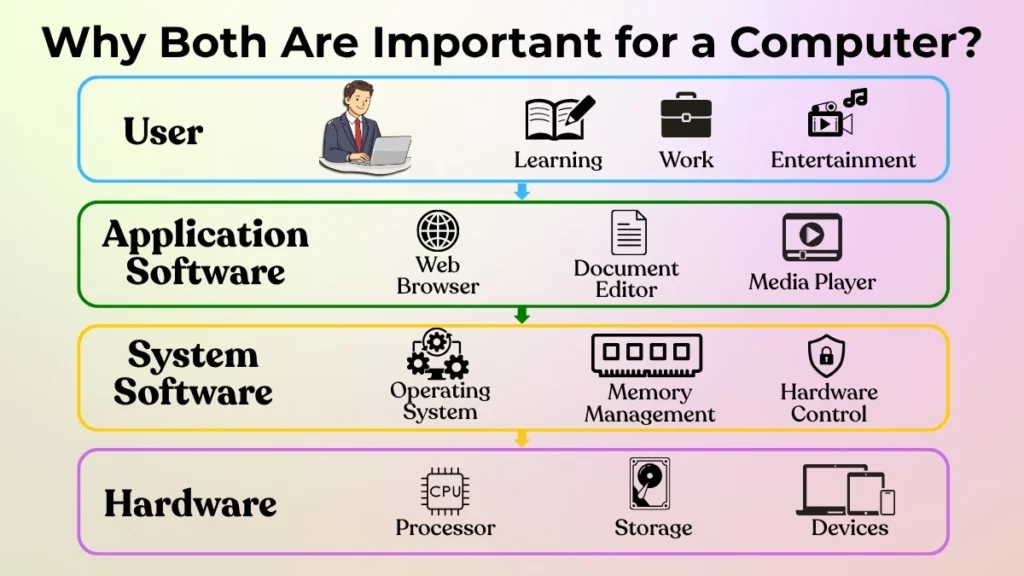
A computer needs both system software and application software to be useful.
System software is, like the base of the computer. It handles the processor, memory, storage and devices connected to the computer. Without it, the computer will not work properly.
Application software uses that base. It gives users ways to do work. When you make a presentation, join a class, or watch a video, you are using application software.
Let’s look at an example. When you open a document editor to write notes the operating system gives the program the space it needs to run. Then the application helps you make and edit the document.
If system software is not there applications won’t run. If application software is not there users don’t have tools to do tasks. They depend on each other to make the computer useful.
When You Start With Computers, What Software Do You Use First?
Most people who are new to computers use application software first because it is the part of the computer that they can see.
When you open a web browser, play music, watch a video, or make a file, you are using application software directly.
These programs are made to be easy to use and simple to get to.
At the time system software is also working, but it is usually hidden in the background.
A lot of users do not even know it is there because it does its job automatically.
This is why people usually get to know application software long before they learn about operating systems and other system software.
Mistakes People Make While Learning About Software
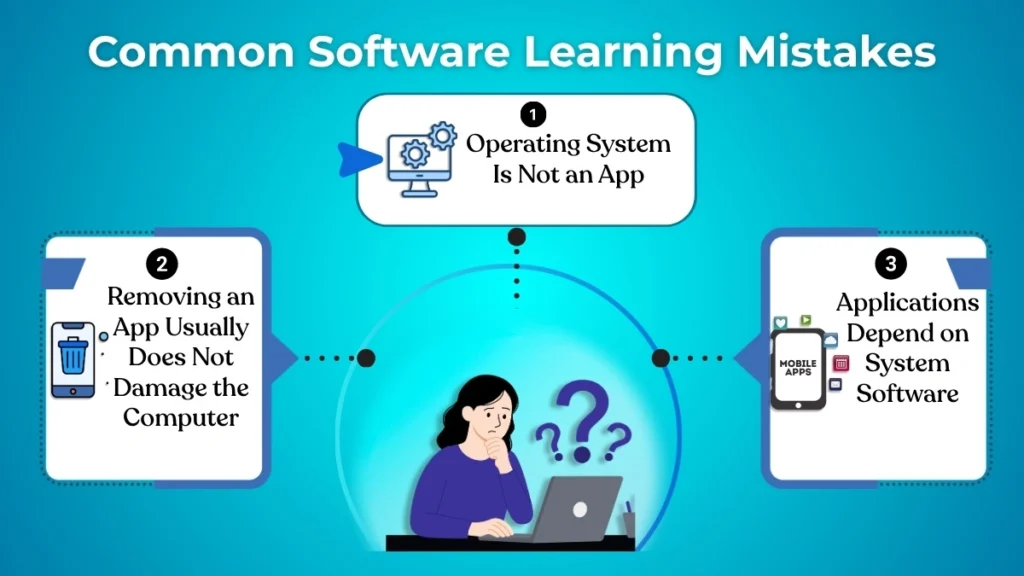
When people start learning about computers they often get a few things wrong.
One common mistake is thinking that the operating system is a regular application software.
The truth is, it does a much bigger job because it is in charge of the whole system.
Another thing people get wrong is thinking that if they remove an application software it will hurt the computer.
Most of the time uninstalling a normal application software only removes that one program and does not affect the operating system.
Some people also have trouble understanding why certain application software stops working when there is a problem with the operating system.
This happens because application software needs system software to work properly.
Learning the difference between system software and application software helps avoid confusion and makes it easier to understand how computers work.
Conclusion
System software and application software may seem like the same thing at first but they do very different jobs inside a computer.
System software takes care of the operations of the computer and makes sure that the hardware and software work well together.
Application software, on the other hand, lets people perform everyday things like browse the internet make documents and enjoy music and videos.
You need both system software and application software because neither one can do the other’s job.
System software provides the base while application software provides the tools that people use every day.
For anyone starting to learn about computers understanding the difference between system software and application software is an important step.
It helps build a foundation and makes it easier to learn more, about computers in the future.