
Computer Hardware: Meaning and Classification Explained for Beginners
Introduction
Today, computers have become an important part of our everyday lives. We use them for multiple tasks such as writing documents, browsing the internet, watching videos, managing files, and performing office work. While performing these tasks, we interact with many visible parts such as the keyboard, mouse, and monitor. All these parts together are known as computer hardware.
For beginners, an important step in learning how computers work is understanding hardware. Although many people use computers on a daily basis, they do not clearly understand what hardware actually means. It becomes difficult to understand how a computer system performs different tasks without knowing the basic concept of hardware.
The main purpose of this article is to explain the meaning of computer hardware in a simple and beginner-friendly way. Additionally, you will understand how computer hardware is categorized and why it is crucial to a computer system’s operation.
What Is Computer Hardware?
The physical parts of a computer system that can be seen and touched are known as computer hardware. These parts form the visible structure of the computer and have a real form.
Examples of hardware include anything that you can physically interact with when you look at a computer system. These parts help users operate the computer system by entering data, viewing results, and storing information.
The physical basis of a computer is known as computer hardware. It offers the framework through which all computer operations are performed. A computer system would not be able to function without hardware.
Hardware includes all physical parts that are connected to a computer system, whether they are installed within the system or attached from the outside.
Why Hardware Is Important in a Computer System?
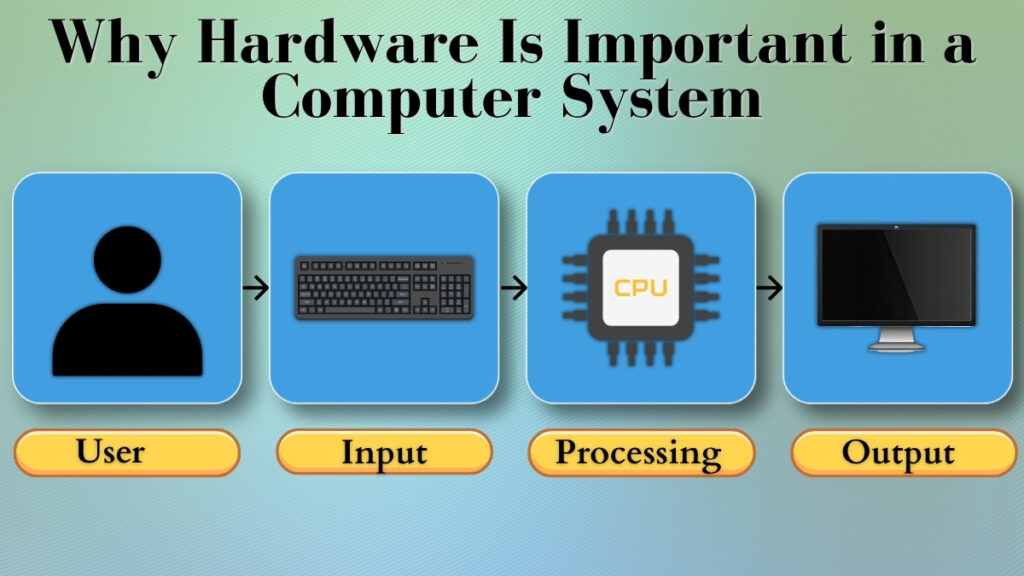
In a computer system, hardware is important because it enables the system to perform actual tasks. To receive input, process data, and show results, a computer system relies on its physical parts.
Different hardware components work together tasks whenever a user uses a computer. For example, when a user types a document, the keyboard is used to enter text, then the computer processes that input, and the monitor displays the result on the screen.
Let’s understand this concept more easily with the comparison between system and the human body. A computer system requires hardware components to perform functions or tasks. Similarly, the human body requires physical organs to perform different actions.
A computer would be physically unstructured and unable to communicate with the user without hardware.
Classification Of Computer Hardware
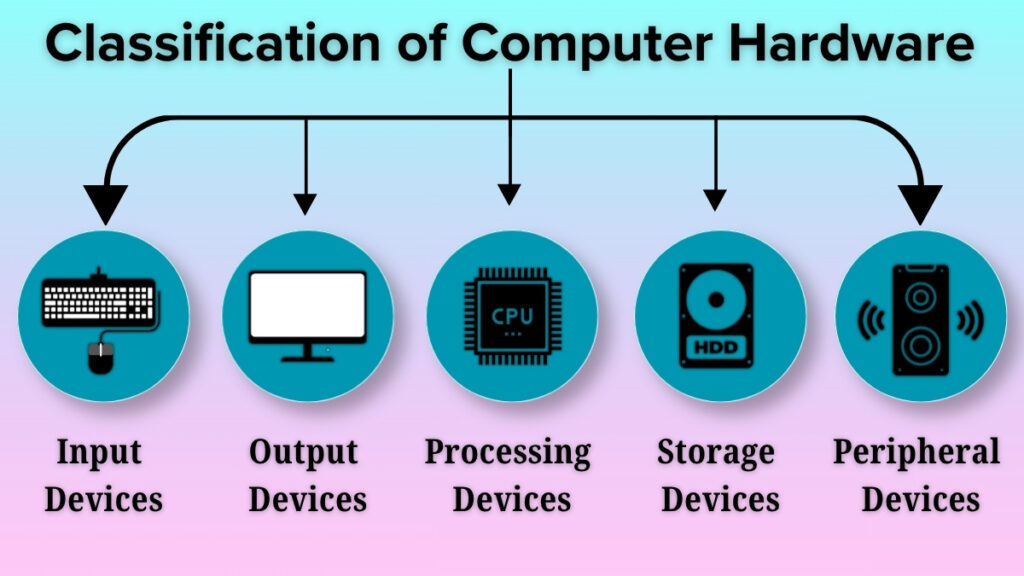
Based on the functions that each device performs, computer hardware is divided into different categories. This categorization makes it easier for beginners to understand how various parts of a computer system interact.
The main types of computer hardware are input devices, output devices, processing devices, storage devices, and peripheral devices.
Input Devices
Hardware components known as input devices enable users to input commands or data into computer systems.
Input devices are used when a user wants to provide information to the computer. These devices convert user action into signals which are understood by the computer system.
Common examples of input devices are:
- Keyboard
- Mouse
These devices enable users to communicate with the computer by entering commands, text, or instructions.
Output Devices
Hardware components that show or exhibit the result generated by a computer system are called output devices.
The components sends the final result to output devices so that users can see or use the data after it has been processed.
Common examples of output devices are:
- Monitor
- Printer
With the help of output devices, users can view results in a readable form or produce physical copies when required.
Processing Devices
The data that the computer receives is handled and processed by the processing devices. After taking input from the user, the data is processed by the computer.
This device is important because without processing input data, results cannot be displayed. Processing devices perform calculations and logical operations required to complete various tasks. They process the data entered into the computer system and then produce the results.
CPU (Central Processing Unit) is the most important processing device in a computer system. Managing and controlling the functions of the system is the main role of this device.
Storage Devices
Hardware components that are used to store data and information are known as storage devices.
To store files, documents, programs, and the other important data, computer require storage. Storage is used to save files for later use and to keep temporary data during computer operation.
Storage devices enable users to store and retrieve their work at any time.
Peripheral Devices
Outside hardware parts that enhance or expand a computer system’s capabilities are known as peripheral devices.
To provide extra functionality, these devices are connected to the computer. They facilitate better user engagement and make the computer easier to use.
Devices that support input, output, or storage functions are examples of peripheral devices.
Internal Hardware vs External Hardware
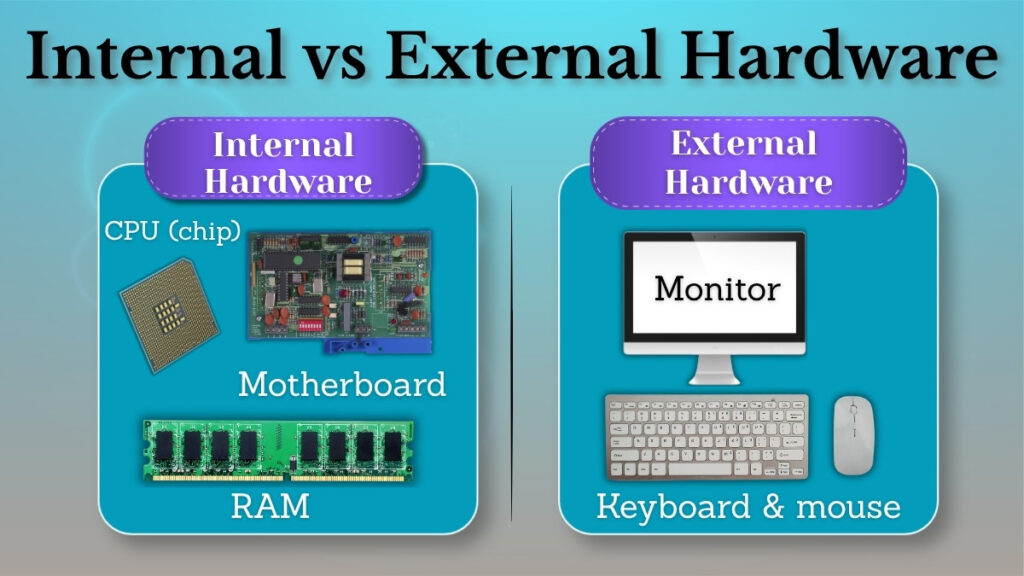
Another way to understand computer hardware is to look at where it is in relation to the computer system.
Some hardware components are placed inside the computer, while some others are connected from the outside.
The physical components that are found inside the computer system are known as internal hardware. Together, these components work to manage the internal functions of the computer.
The devices which are connected to the computer from outside and allow users to communicate with the system directly are known as external hardware.
In simple words:
Internal hardware controls actions within the computer.
Users can easily communicate with the computer and perform tasks using external hardware.
For the proper functioning of a computer system, both types of hardware are important.
Hardware and Its Role in Daily Computer Use
A key component of daily computer activities is hardware. Different hardware components are used in every task that a user completes on a computer.
For example, information is entered through the keyboard while typing a document. After receiving input, the computer processes the data and then the monitor displays the result on the screen. If a user wants a hard copy of the result, it can be taken using a printer.
Similar to this, physical components like the monitor and other linked parts work together to display the information to the user while watching films or browsing the internet.
From these examples, it can be said that hardware is involved in almost every activity performed on a computer.
Common Hardware Problems (Beginner Awareness)
Sometimes beginners may face simple hardware-related problems when they use a computer. Understanding these basic problems of hardware helps users to identify the exact problem when a device is not functioning properly.
A common problem that generally occurs in every computer is a device that does not respond to user actions. For example, due to a connection problem , a keyboard or mouse may stop responding.
Another situation can be a connection problem where a device is not properly attached to the computer. The system does not recognize if the device is not attached properly.
Another common problem that may arise is overheating. This happens when a computer system is used continuously for a long period of time. The computer’s performance may be impacted when the system gets too hot.
Understanding these problems makes it easier for beginners to realize that hardware components also need to be handled and cared for properly.
Conclusion
The physical foundation of a computer system is made up of computer hardware. It consists of all the physical and visible parts that enable the computer to carry out various functions.
Every computer activity, from entering data to displaying results and storing information, depends on hardware components working together. Understanding the definition and categorization of computer hardware helps beginners to understand how a computer system functions.
A strong foundation is built in computer fundamentals by learning about hardware categories such as input devices, output devices, processing devices, storage devices, and peripheral devices.
Beginners can more easily and confidently explore more complex computer concepts when they understand the function of hardware.