
Computer Virus and Malware: Meaning, Types and Prevention
Introduction
We need to make sure that computers are safe since they are becoming more and more important in our lives. Computers are used by people for studies, work, communications, entertainment, and storage of valuable information.
While using computers, user comes across terms like “virus” and “malware.” These terms come up in the discussion of computer security. However, most beginners find it difficult to understand what these terms are and what effect they have on a computer system.
Understanding viruses and malware is necessary as they impact the computer’s files, performance, and private data. Additionally, they might interfere with daily operations and cause delays in the computer’s regular operation. The good news is that basic knowledge and safe practices can help prevent many problems.
This article will provide basic information about computer viruses and malware, common types of malware, the sources of their entry into the computer, and some preventive measures as well.
What Is a Computer Virus?
A computer virus is an example of malicious software that may infect a computer and its files.
Simply put, a virus is a kind of malware that transfers from one file or application to another once activated and may cause certain undesired effects on a computer.
The virus usually distributes through risky actions such as accessing contaminated files or downloading applications from untrustworthy websites.
Much like biological viruses can be transferred from one person to another, so computer viruses are transferred from one file or device to another.
While not all viruses have the same impact, it still can cause issues that will influence the overall user experience. Some of them might simply slow down the computer while others affect the performance of files or the system itself.
What Is Malware?
Malware is a general term used to refer to malicious software that can infect a computer.
The terms “malicious” and “software” combine to form the word malware.
In simple words, malware is any software program that causes problems, gathers unauthorized data, interferes with regular activities or slows down computer operations.
Viruses are types of malware. It implies that all viruses are malware while not all malware are viruses.
Being aware of this distinction will help beginners understand that malware includes various forms of malicious software. Knowledge of this fundamental concept will make learning other aspects of computer security issues easy.
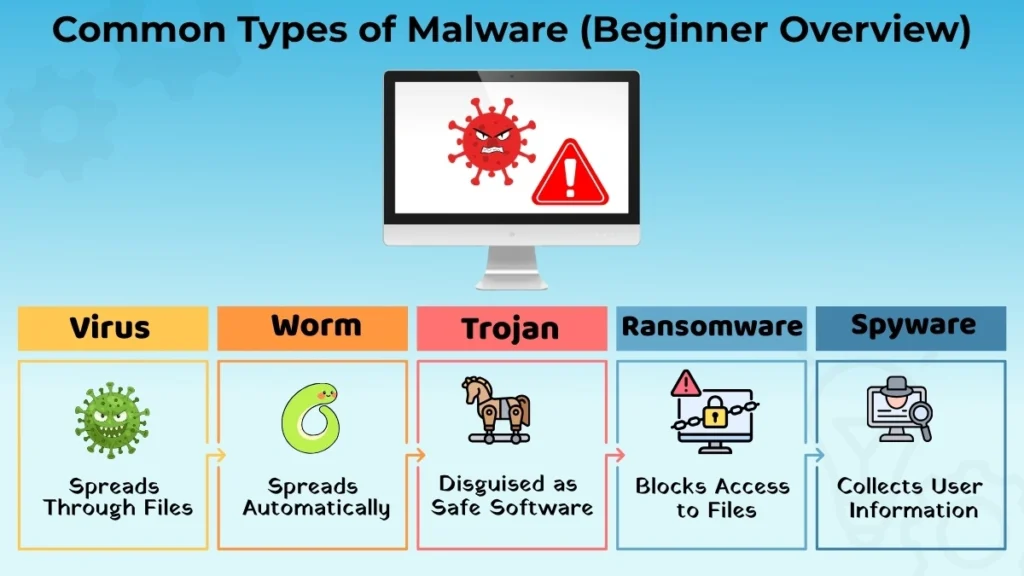
Common Types of Malware (Beginner Overview)
Malware comes in several forms, each with a unique behavior.
Virus
Virus is considered to be among the most recognizable examples of malware.
It can be linked with some file or program and spread as a result of sharing or opening of the infected file.
The virus can impact the work of the computer in various ways.
Worm
The worm is also considered malware.
The difference between worms and some other types of malware is that the worm spreads by itself automatically without user participation.
This may result in system lagging and other performance issues.
Beginners will be able to recognize that the worm is designed to spread quickly and cause disturbances.
Trojan
Trojan is any kind of harmful program which gives an impression of being harmless or useful.
First of all, a Trojan may appear to be a normal file or application.
Using this program may lead to problems with your computer.
Therefore, users need to be careful while downloading programs from unreliable sources.
Careful behavior can help to avoid Trojans.
Spyware
Spyware is regarded as harmful software that may collect data from a computer without the user’s awareness.
The main reason for this software is associated with monitoring activities or information gathering.
This is an issue of concern as the user may be unaware of information gathering.
Users will gain understanding of the significance of computer safety procedures as a result.
Ransomware (Basic Awareness)
Ransomware refers to malware that may limit access to files or information.
Beginners only need to be aware of the fact that ransomware can cause great inconvenience by not allowing access to critical information.
Awareness of ransomware assists in understanding the significance of prevention.
How Can Malware and Viruses Get into a Computer?
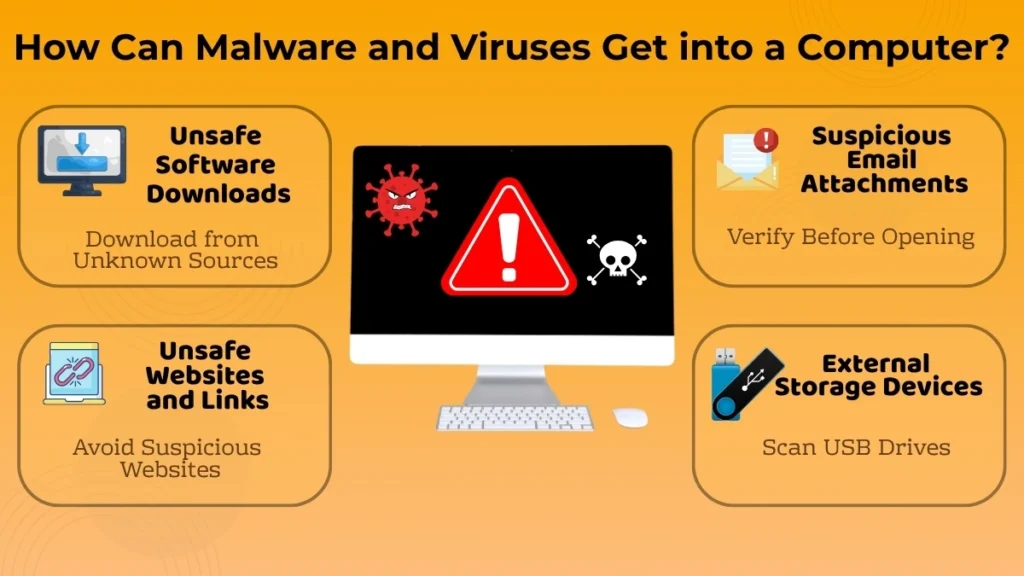
Malware and viruses generally enter a computer through dangerous sources or risky behaviours.
Unsafe Software Downloads
Download of software from unknown or unverified sources is one of the ways through which malware finds its way into a computer system.
Sometimes, there are files that might seem useful but have some form of malware in them.
Use of trusted sources minimizes the risk.
Suspicious Email Attachments
Some emails will come with attachments.
Opening unverified attachments can prove dangerous.
It always makes sense to remain careful about the receipt of files from unfamiliar sources. If an email seems unusual or unfamiliar, users should verify it before opening any attachment.
Unsafe Websites and Links
Some websites and links may be unreliable.
It might be risky for people to visit an unfamiliar website or link.
Following proper browsing practices ensures safety. Checking the address of a website and not downloading any suspicious files may also minimize dangers.
External Storage Devices
Files can even be transferred via external storage media.
Files on external storage devices, such as USB drives, may not be secure.
It’s always good to exercise caution while opening files stored on external media. Scanning the storage media can add another layer of security.
Signs That a Computer May Be Affected
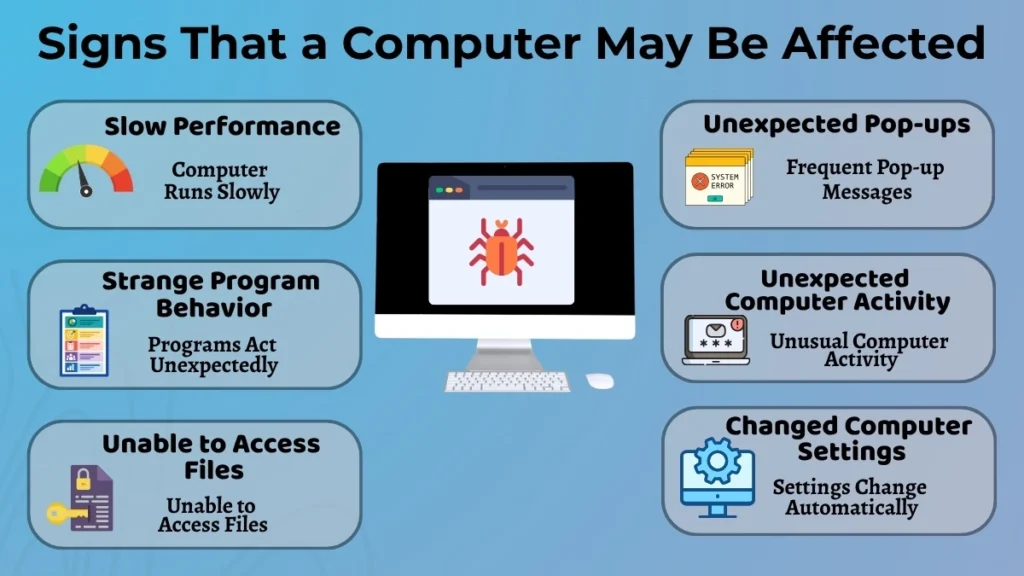
There are some indications that show whether a computer is having some trouble because of malware.
Some examples of such symptoms are:
- Slow computer performance
- Pop-ups that arise all of a sudden
- Program behavior that seems strange
- Computer activity that is unexpected
- Unable to access files
- Changes made in computer settings without reason
These symptoms do not necessarily indicate that there is any malware present, but they suggest that there might be something wrong. It will be logical to check the computer if a few of these symptoms appear at the same time.
How to Prevent Viruses and Malware?
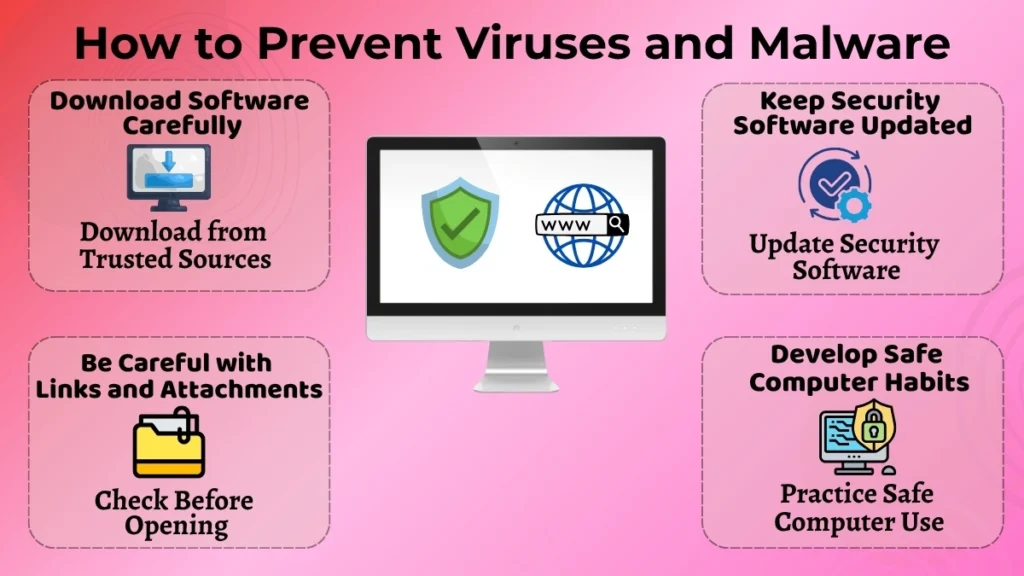
One of the best ways to keep safe is to prevent.
Download Software Carefully
Software must always be downloaded from trusted and reliable sites.
Unnecessary downloads should be avoided as well as being cautious about downloading files that you do not recognize.
Such an attitude significantly lowers the risks.
Keep Security Software Updated
It is important to update security software on a regular basis.
This is because it helps enhance security and make sure that the software still works well.
The practice of updating software is critical to keep one’s computer safe.
Be Careful with Links and Attachments
It is necessary to make sure before opening any file or link that it comes from a credible source.
It takes only a few seconds but can save a lot of trouble.
Safe clicking practices form a significant component of internet safety.
Develop Safe Computer Habits
Computer hygiene is an important part of preventive measures.
Users should be careful while using the internet, downloading files, and avoiding unnecessary risks.
Small but regular steps of caution will most likely ensure better protection.
Common Mistakes Beginners Should Avoid
Mistakes made by beginners can sometimes result in increased malware risks.
Some of these mistakes include:
- Random downloading of software from unknown sites
- Overlooking important security updates
- Clicking on unknown pop-up messages
- Opening unusual attachments
- Careless file sharing
- Automatic trusting of all websites
Taking care to avoid such mistakes can greatly enhance computer security. Informed usage of the internet is a very important component of computer security.
Why Learning About Viruses and Malware Is Important?
There are several advantages that users gain from learning about viruses and malware.
It will assist users in:
- Enhancing their understanding of digital security
- Protecting themselves from any danger
- Forming healthy computer practices
- Decreasing the risk of encountering any difficulties
- Feeling secure when using computers
This information is very helpful for beginners because it allows them to form a solid basis for computer use.
With the development of technology and its increasing presence in our lives, this knowledge becomes more useful.
Conclusion
Computer virus and malware are some common examples of digital threats that might cause several issues on the computer. Although they might look quite scary at the beginning, the knowledge of their meanings and actions can make it much easier to handle.
Malware in general has many different forms. It can be called virus, worm, Trojan horse, spyware or even ransomware. However, most of those dangers can be avoided through proper awareness and computer use.
Careful downloading of applications, keeping security software up to date, cautious clicking of hyperlinks or attachments and other proper computer usage rules can make computer activities much safer for the user.
Learning about malware and viruses is one of the steps towards the safe and suitable use of computer for the beginner user.