
Data, Information, and Processing Explained for Beginners
Introduction
A computer works mainly with data. Each task performed on a computer, whether it is typing a document, checking marks, watching videos, or calculating results, involves data in some form. The simplest activities are also dependent on how data is handled inside the system.
Many new learners get confused between terms like data, information, and processing. These words are often used together, but their meanings are different. They are interlinked but each one of them has a separate role in how a computer functions. When these basic concepts are not clear, understanding further computer topics becomes more difficult.
The main purpose of this article is to explain data, information, and processing in a simple and beginner-friendly way, without using any technical language or complex explanation. It focuses only on helping beginners understand these basic computer concepts.
What is Data?
Data refers to raw facts and figures that are given to a computer by the user. It is unorganized and has no meaning until some work is done on it. It does not explain anything clearly on its own.
In easy words, data is basic input. A computer receives data exactly as it is and stores it without understanding its purpose. Data only becomes useful when it is processed.
Examples of data include numbers, images, names, and simple values. A random list of numbers or a single name does not provide complete information on its own. These items are just input waiting to be processed.
Types of Data (Basic Only)
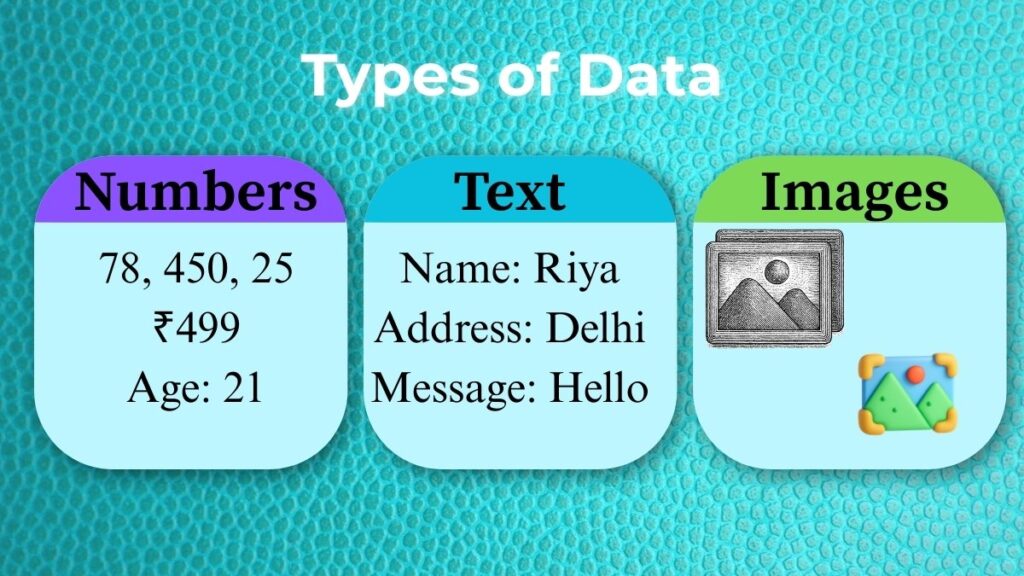
At the beginner level, data can be understood in very simple forms:
- Numbers: Numbers are a common type of data. Other examples of numerical data include marks, prices, ages, and quantities. All of them are numerical data, but a number alone does not explain much unless it is connected to a result or a context.
- Text: Text data includes words, name, addresses, or short messages. A student’s name written alone is just data without clear meaning.
- Images (Overview): Images are also considered as data. Photos, scanned documents, and graphics are stored in a computer as raw input and only become useful when they are viewed or processed.
These basic forms of data are enough for beginners to understand how computers work with input.
Examples of Data in Everyday Life
Data is used in every aspect of daily life. Data includes student grades like 78 or 92. It also includes names like Riya or Shiva.
Other examples include ID numbers, phone numbers, and roll numbers. These things don’t have complete meaning on their own. To be useful, they must be processed or arranged.
What is Information?
The meaningful outcome of processing data is called information. Raw data becomes information when it is appropriately organized, computed, and summarized. To put it simply, information is data that is useful.
It facilitates decision-making, action, and situational understanding. Unlike data, information always serves a clear purpose.
For example, a list of marks is data, but it doesn’t provide any information. The final result showing total marks and percentage is the information required by users. Information gives clarity while data alone does not.
Difference Between Data and Information
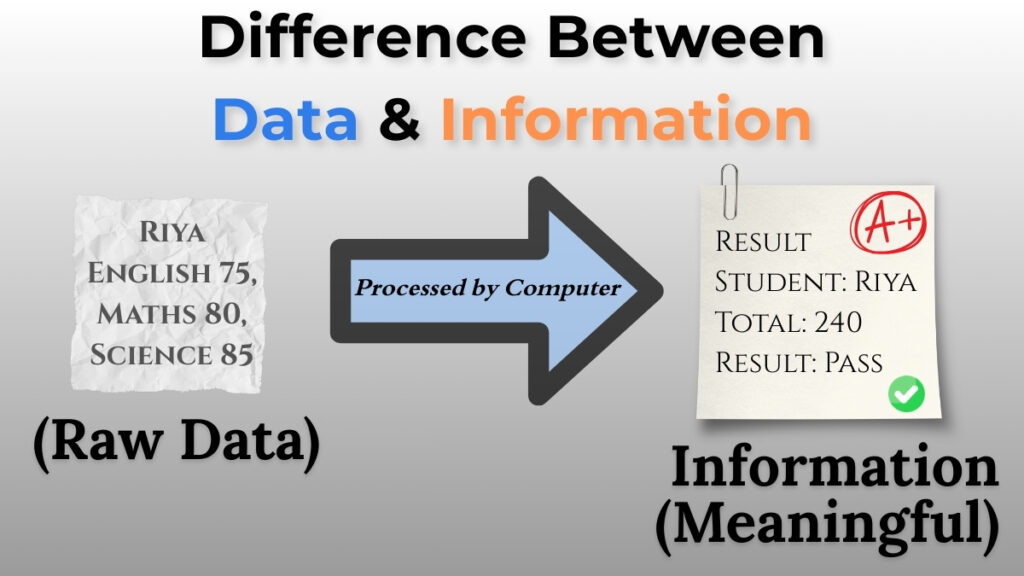
It’s important for beginners to know the difference between data and information. Data is unorganized and unprocessed.
Information is meaningfully processed data. Data doesn’t give any clarity, but information does. Data is what goes in, and information is what comes out. Data may not have meaning, but information always has purpose and clarity.
You can think of data as the pieces of a puzzle and information as the whole picture that comes together when you put those pieces together correctly.
Examples of Information
A student’s result sheet, a sales report, or a summary of total marks are all examples of information. A list of students who passed or failed is also information.
These results help teachers, students, and groups make choices. That is why information is more useful than raw data.
What is Processing?
Processing is what turns data into information. It is the work done on raw data to give it meaning. In short, processing means working with data.
If data is not processed, it is disorganized and useless. Processing is an important part of how a computer works because it links the input and output.
How Processing Works in a Computer?
A computer processes data by following directions. It doesn’t think like we do. It only works when you tell it what to do. Getting data, following instructions, doing calculations or actions, and producing output are the basic steps.
Every step is done carefully and in the right order. The computer doesn’t know what data means. It just does what it’s told to do.
A Basic Processing Example
Consider the following student grades: 75,80, and 85. These values are data. When the computer adds these marks and calculates the percentage, it performs processing. The final percentage result is information.
This illustration makes it quite evident how processing transforms data into a useful outcome.
Relationship Between Data, Information and Processing
Information, processing, and data are closely interconnected.
All three depend on each other. None of them is useful alone. Data is entered by the user and then undergoes processing. The end result is information.
This relationship of data, information, and processing together makes up a computer’s fundamental operating cycle.
Processing cannot be done if any data is missing. Data is of no use if it is not processed. The work is worthless if no information is generated.
Concept of Input-Process-Output
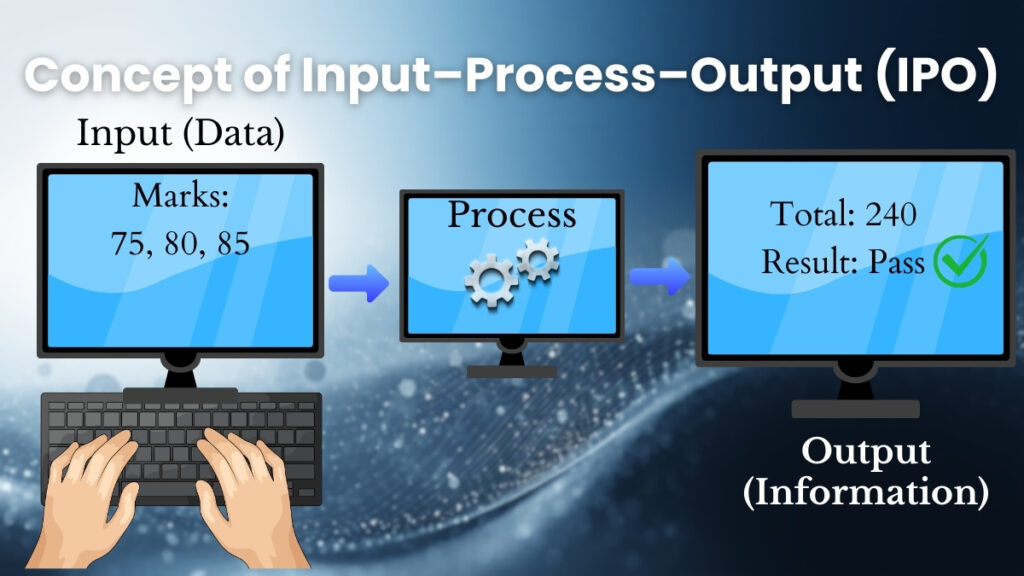
The Input-Process-Output concept is frequently used to explain the relationship between data, processing, and information. The input provided to the computer is called data.
The work done on that input is called processing. The final product is information. This straightforward idea aids novices in comprehending how computers carry out tasks from beginning to end.
Real life example
In a real-life example, student graded are entered as data in a school result system. Through processing, the system determines grades and totals.
The final generated report card contains information. Numerous systems, including reports, billing, and attendance, use this cycle.
What Makes These Concepts Essential to Computer Learning?
For beginners, it is essential to understand data, information, and processing. These ideas help learners understand how computers truly operate.
They improve both theoretical and practical learning while creating solid computer foundations. These fundamental concepts also form the basis of many exam questions.
It is much simpler to learn advanced computer topics when these ideas are understood.
Common Beginner Mistakes About Data and Information
Data and information are often confused by learners. Some people believe computers automatically recognize data and overlook the role of processing.
A computer actually just does what it is told to do. Only when data is properly processed does it acquire meaning.
Confusion can be avoided and conceptual clarity can be improved when this difference is understood.
Conclusion
Computers mainly work with data. The system’s raw input is called data. The work done on that data according to user instructions is called processing. Meaningful information is the end result. This flow can be understood as data, processing, and information.
This straightforward concept forms the foundation of computer fundamentals. Understanding this relationship between data, processing, and information gives new users a solid foundation for learning and making efficient use of computers in their daily lives.
Pingback: How Does a Computer Work? IPO Cycle Guide
Pingback: Computer Virus and Malware: Essential Safety Guide