
How Does Grok AI Function and What Is It? A Beginner-Friendly Guide
Introduction
Finding information on the Internet is easy, but finding the most relevant and up-to-date information takes time. Search engines can return hundreds of results, and it can be tedious to visit each link searching for an answer.
Grok is an AI assistant from xAI that can answer questions, help write code, analyze documents, search the web for current information, and assist with creative projects such as generating images and videos.
A chatbot normally only has the information that it was trained on, but Grok AI allows users to take advantage of tools such as Web Search and X Search for greater accuracy when the situation calls for it.
Introducing Grok AI
Grok AI is made to be conversational. A user can ask for help, bounce ideas off it, explain things to it, and even continue asking questions throughout one conversation.
A student could ask Grok to explain a concept, and then ask for a breakdown and example of a certain part. Someone working on a creative project could use Grok to help come up with ideas, while a developer could talk through a bug with Grok and troubleshoot together. One of the coolest parts about Grok is the search feature. With Web Search you can find the most relevant and recent information online, and X Search allows you to find tweets, posts, and users related to your query.
So what does Grok AI do when you ask it something?
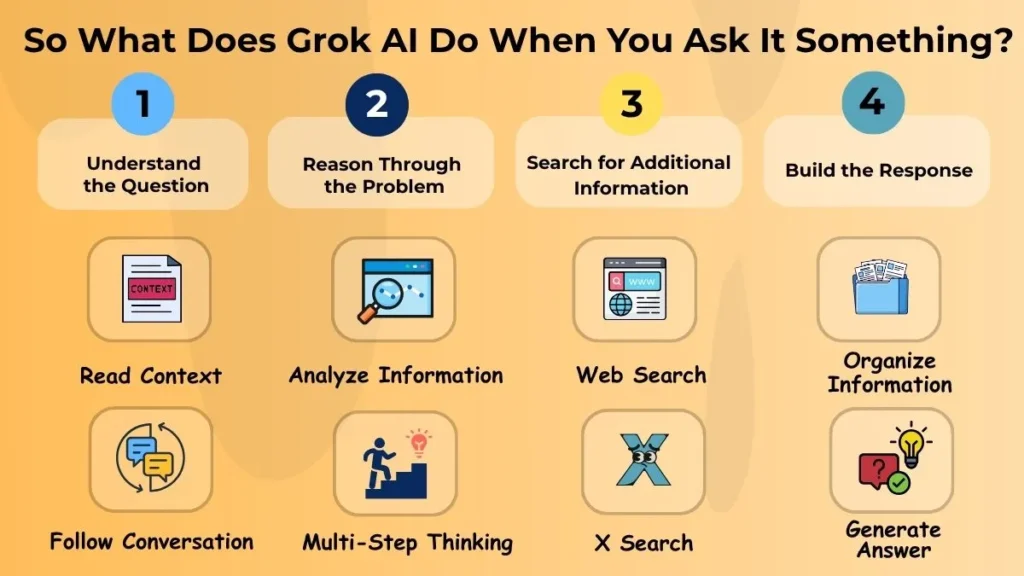
Grok Understands What You Said
The first step to any query is for Grok to understand what you’re asking. You can think of Grok AI as a chatbot that has context for every request. What this means is that every message you send will be added to the context for Grok to read.
This lets you ask follow-up questions by simply asking without having to type out an entirely new prompt. If you ask Grok AI to explain a topic, you could follow up with “Give me an example” and it would understand what you were talking about in context. Any documents or information you give Grok can also be used for context in later messages.
Grok Reasons Through The Problem
Some prompts require more than just an answer. Coding, comparisons, troubleshooting, finding relevant information, and analysis can all require multiple steps. Grok’s underlying models can reason through the problem and respond accordingly. You can do something like give Grok a coding problem, explain what you’ve tried so far, and ask for help tracking down the bug and fixing it.
Grok Can Look Beyond Its Existing Knowledge
While Grok has information it has learned while being trained, this does not mean it has inherent knowledge of the events or changes in the world around it.
Grok can rely on the Web Search to learn more up-to-date information, and X Search to find the latest public discussions about a subject. This feature is useful in the case of technological advances, evolving trends, or even current events, but recent information should not be automatically trusted. The reliability and credibility of the sources should always be taken into account.
Grok Builds the Response
After analyzing the request, context, and available information, Grok will construct a response best suited for the user’s needs.
While using search tools, information and sources about the searched subjects will be shown, and users are encouraged to review these sources rather than rely solely on the information provided by Grok.
What Can You Do With Grok AI?
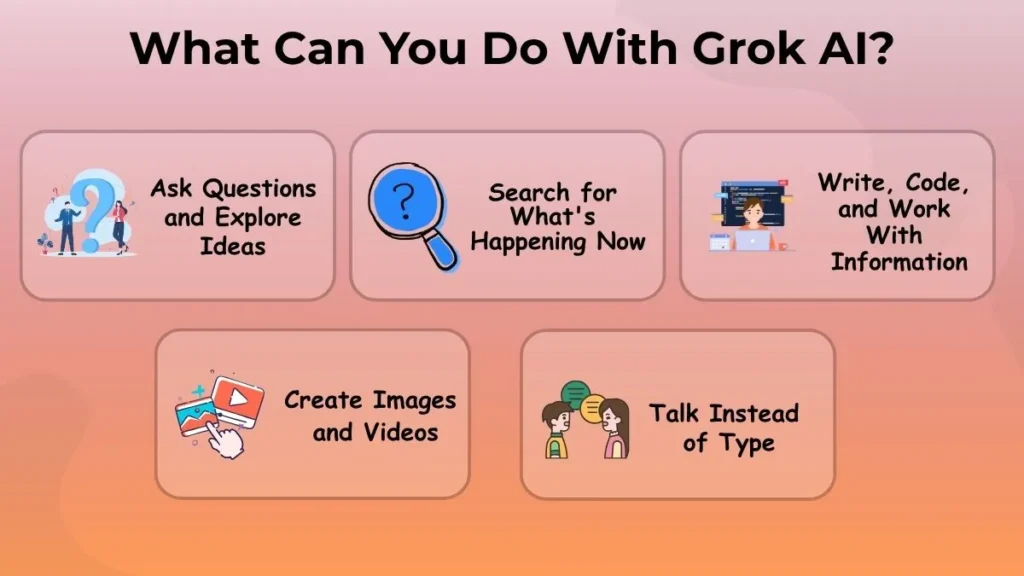
Ask Questions and Explore Ideas
Grok can be used as an assistant and conversationalist, providing explanations, suggestions, learning and problem-solving support, and much more. Particularly useful in cases where the user does not know how to phrase a request or search query, as Grok will ask clarifying questions, allowing the user to explain what they want.
Search for What’s Happening Now
News, technological advancements, product releases, and social media trends are all things that change rapidly, and are sometimes hard to keep up with. Grok can perform web searches to find recent information on the subject, or using the X Search, find the latest discussions on a topic. This can be helpful while researching a topic that requires the latest sources.
However, social media posts should not be seen as credible sources of information, and any important claims should be corroborated by studying other, more reliable sources.
Write, Code, and Work With Information
Grok can be used for more practical purposes such as writing and researching papers, coding and software development, and analyzing and summarizing files. The user can attach files to the assistant and ask questions about the file’s contents, summary, or other needs. Developers use Grok to study concepts, code, and debug software, or to ask questions related to programming.
Instead of asking specific questions, a user can provide Grok with context, and additional questions and clarifications, narrowing down the problem until a satisfactory answer is found.
Create Images and Videos
Grok has built-in creative tools, such as the Grok Imagine tool, that can be used to make images and video content. The user can describe the desired product and Grok will attempt to generate it. However, there is a possibility the first result will not be satisfactory. In this case, the request should be edited and the process can be repeated until a satisfactory result is found.
Talk Instead of Type
Grok can also perform voice conversations. This means you can ask questions and have a dialogue with the assistant verbally instead of typing prompts.
When Grok AI Goes Beyond a Normal Chat
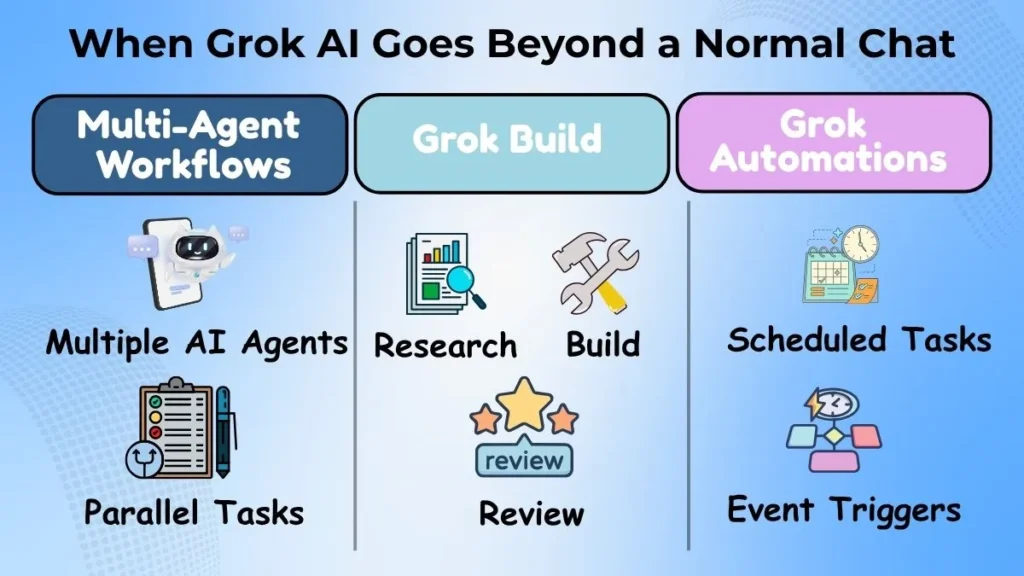
Grok is also being developed to execute multi-modal, multi-agent workflows as well. This means that Grok can perform multiple tasks at once or have multiple agents working together on a bigger project.
Grok Build, for example, can perform coding tasks with agents that help research, build, and review sections of code. Grok Automations allows users to define an automation and have it executed on a schedule or in response to an event.
Grok AI and X: Why the Connection Matters
Grok’s connection to X is another big deal. Grok can use X Search to search through social media posts, users, and threads.
This feature can be useful because when a new product or technology is unveiled, sometimes social media has information about it that isn’t available elsewhere. There’s always a chance that information found on social media might not be accurate, especially if it’s a popular post. If you’re looking for real information, it’s best to fact check any information found on social media by tracing it back to its source to confirm its legitimacy.
Grok Is More Than an AI Chatbot
Let’s say you are doing some research about a new technological advancement. You can search for the latest information about it, upload the articles and reports about it, ask questions about it, and then use Grok to help you format a presentation or write a paper about it.
What Are the Limitations of Grok AI?
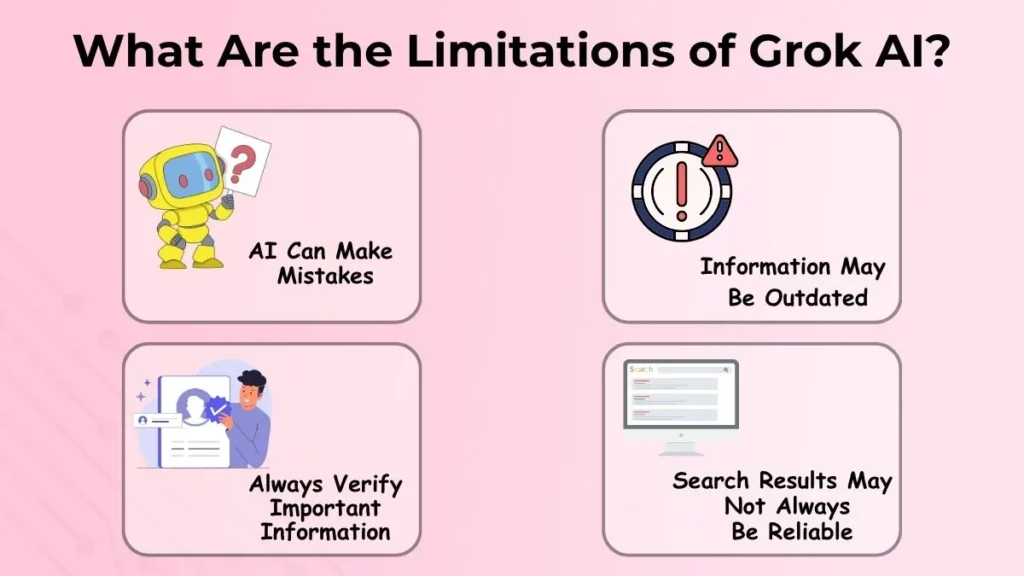
Grok can get things wrong, misunderstand you, or fail to help you completely sometimes. An AI might give you an answer that sounds good, but it might also be completely wrong.
Searching through social media with real-time information might give you an answer that’s outdated or incorrect. The information retrieved with Grok’s search features or X Search might not always be reliable, and the same goes for information retrieved from the web. When it comes to something as serious as a financial or medical issue, researching with AI isn’t enough. Important facts should always be double checked by trusted sources before being acted upon.
Who Can Use Grok AI?
Grok can be used by many different types of people.
Students can use it to learn new things. Writers and creators can use it for brainstorming, writing, and research. Developers can use it to learn and troubleshoot code. Researchers can utilize Grok’s document and web searching features. Professionals can use it for research and automation. Everyday people can use it to ask questions, get answers, and brainstorm ideas.
Where Is Grok AI Heading?
Modern AI assistants are starting to move away from the Q&A format and are now focusing on making tools that can allow you to accomplish larger tasks on your own. Coding assistants, subagents, tools, and automations are just some of the ways that xAI is making Grok more capable as a productivity tool. You might not have to manually perform each step of a task. For example, you can instead tell Grok to put together a larger project with minimal input on your end. These tools aren’t completely ready to be used right now, but in the future we might be able to rely on AI assistants like Grok to do things for us.
Conclusion
Grok is an AI assistant created by xAI that has features beyond normal Q&A bots, such as web searching, X Search, document scanning, coding tools, image and video creation, and voice chatting. Because Grok AI can access real-time information through its search tools, it can be useful for finding up-to-date information. It also has other tools that can help you do much larger projects. Grok AI isn’t always accurate, however, so information found with Grok AI should always be fact checked by trusted sources. If you’re new to AI assistants, I hope this article showed you that Grok is much more than an ordinary Q&A bot.