
Booting Process Explained: How a Computer Starts Step by Step
Introduction
We use computers every day, but only a small number of people wonder what happens after pressing the power button. We press the button and after a few seconds the desktop appears and it is ready to use. But on the inside a whole series of operations have to be performed by the computer before it is ready for use.
The hardware is checked, memory is prepared, the operating system has to be loaded. And all of this takes place in a few seconds. This entire startup process is known as booting.
Booting is something that beginners can get a lot from, not just in the sense of computer awareness, but also understanding basic startup errors.
Here we shall look at what booting is, why it is important, and how a computer starts step by step.
What is Booting?
Booting is the process by which a computer starts up and prepares itself for use.
It starts when the power button is pressed and finishes when the operating system is loaded and the desktop appears.
Just like people need a few moments to get ready after waking up, a computer also needs some preparation before it becomes ready for tasks. Here, hardware needs to be checked and essential software needs to be loaded before we can work on the computer. Only after this point can we perform tasks. If the computer was not to undergo this operation then it would be powered on but would just be stationary without the ability to perform any tasks.
Why Is Booting Necessary?
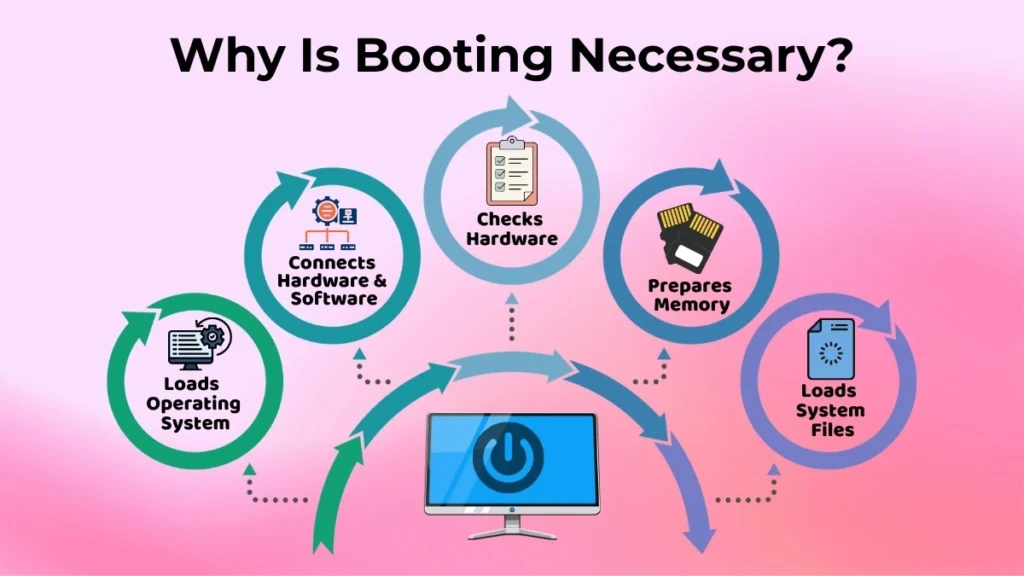
The computer can not just start working soon as you plug it in.
Booting process is necessary because it gets the whole computer system ready to work.
The computer needs to do several things before it can start working properly.
The booting process is what makes it possible for the computer to work the way it is supposed to.
During the startup process:
- The computer checks if all important hardware parts are working properly.
- The memory gets ready to store and process information.
- Key system files are loaded into the computer.
- The operating system is loaded into the memory.
- The computers hardware and software start talking to each other.
Only after all these tasks are done does the computer become fully operational.
Without the booting process, the operating system would not load properly. The computer would not be able to do any useful work.
Types of Booting
There are two types of booting that you should know.
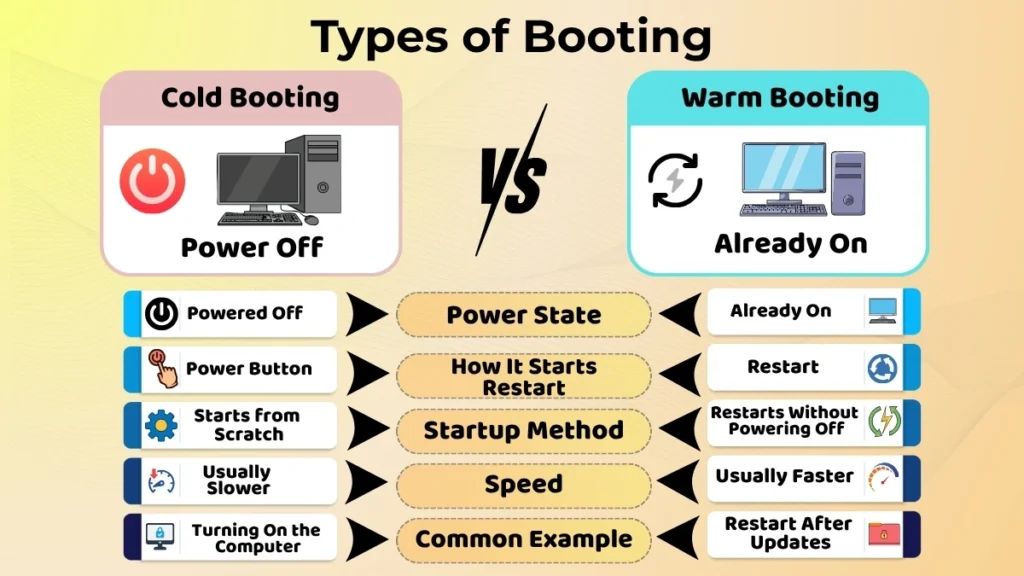
Cold Booting
Cold booting happens when you start a computer from a powered-off state.
For example, if you turn off your computer at night and switch it on in the morning the system does a cold boot.
Since the computer is starting from scratch all hardware parts and system processes are set up from the beginning.
Cold booting is the common type of startup that people experience every day.
Warm Booting
Warm booting takes place when a computer is restarted without being powered off.
This is also called a restart.
For example after you install software updates the system may ask you to restart the computer. In this case, the computer performs a warm boot.
People also restart their computers when applications freeze performance gets slow or minor system issues need to be fixed.
Since the system is already powered on, warm booting is often a bit faster than a cold boot.
Step-by-Step Booting Process
The booting process follows a series of steps that happen automatically.
Let’s look at them one by one.
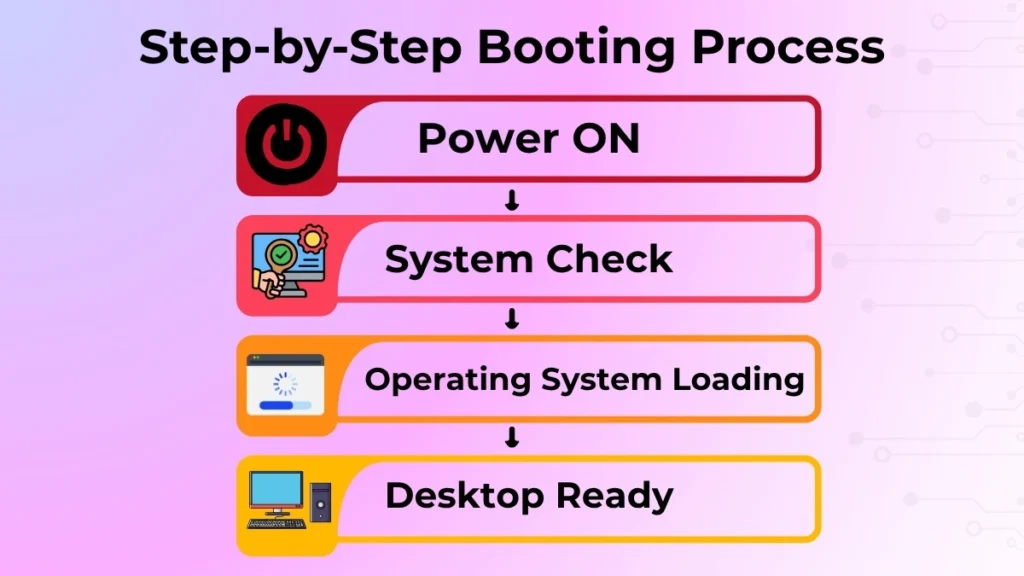
1. Power ON
The process starts when you press the power button on the computer.
Electricity begins flowing to the computer’s parts, such as the motherboard, processor, memory and storage devices.
This tells the computer to start its startup routine.
At this stage you might see lights turning on fans spinning or the display becoming active.
2. System Check
Once power is supplied the computer does a hardware check.
The goal of this step is to make sure important parts are working properly before moving to the next step.
The system checks devices like:
- RAM (Memory)
- Keyboard
- Processor
- Storage drives
- Essential hardware
If a serious issue is found the computer may show an error message or refuse to continue starting.
This check helps prevent the operating system from loading when critical hardware is not working correctly.
3. Operating System Loading
The computer starts loading the operating system into memory after the hardware check is done.
The operating system is like Windows, macOS or Linux.
This is when the system files are brought into RAM.
The operating system helps the user talk to the hardware.
It manages programs, files, memory and devices.
The operating system is important because without it the computer can’t interact with the user.
The time it takes to load the operating system depends on the computers speed and storage.
It can take a few seconds or a bit longer.
4. Desktop Screen Appears
When the operating system is done loading the startup process is almost finished.
The login screen or desktop shows up. The computer is ready to use.
Now you can open applications, access files, and browse the internet. You can start performing your tasks.
The booting process is complete when the system is fully usable.
What Happens If Booting Fails?
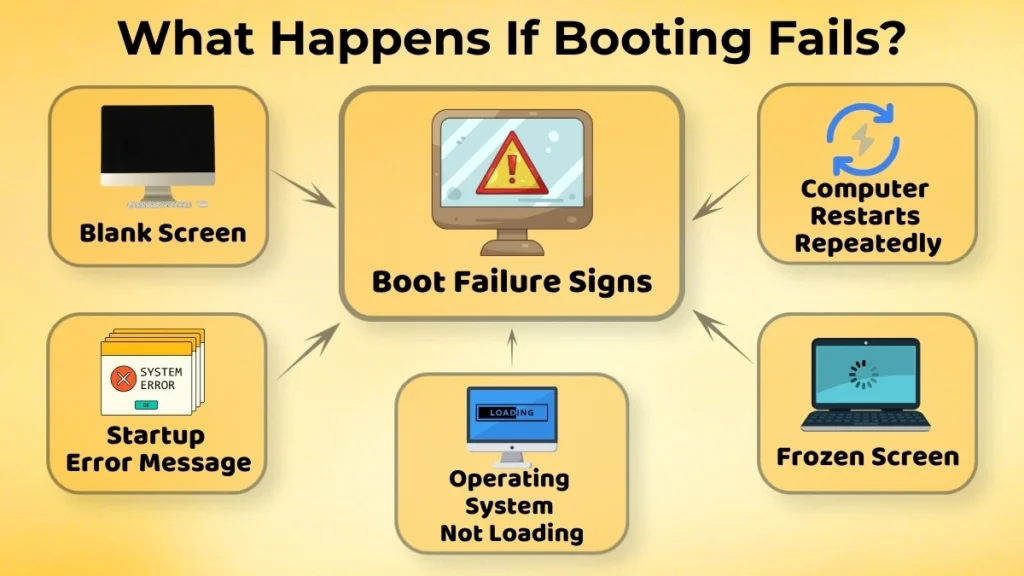
Sometimes the computer doesn’t start properly.
This is called a boot failure.
Boot failure can happen because of hardware issues, damaged system files or operating system problems.
Some common signs of boot failure are:
- A blank screen
- The computer restarting over and over
- Error messages during startup
- The system freezing before it shows the desktop
- The operating system not loading
Seeing these problems can be scary. Many startup issues are minor and can be fixed.
You can fix them by troubleshooting or getting support. The important thing is to stay calm.
You need to find out where the startup process is getting interrupted.
Common Beginner Confusions About Booting
When people start using computers they often get some things wrong about how computers start up.
One big mix-up is thinking that booting and logging in are the same. Booting happens before you see the login screen. Logging in is a step that happens after the computer has already started up.
Some people also think that if a computer takes a long time to start up it must be a big problem. Sometimes slow startup can be caused by updates, background processes or old hardware. It’s not always an issue.
Many beginners also get confused about restarting and shutting down. When you restart, the computer reloads without being completely powered off. When you shut down the computer completely turns off until you turn it on.
Understanding these differences makes using a computer less confusing.
Importance of Understanding Booting for Beginners
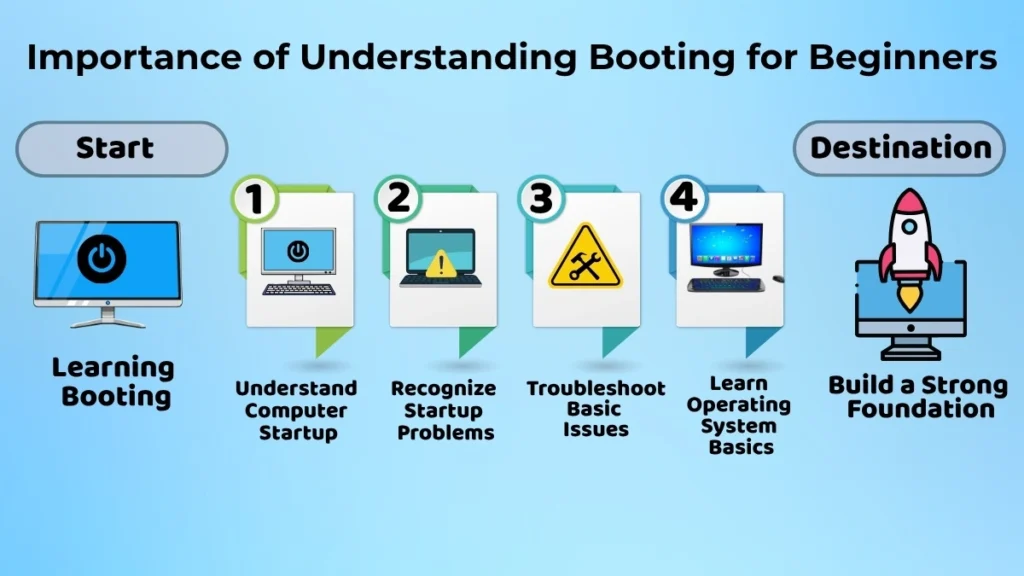
Learning about booting might seem like a small topic, but it is actually very useful for anyone who uses a computer.
It helps beginners:
- Understand how a computer starts working
- Recognize startup problems
- Feel more confident when troubleshooting issues
- Learn operating system concepts easily
- Build a foundation in computer knowledge
Even basic understanding of booting can make technology feel less mysterious and easier to manage.
Conclusion
Booting is the process that prepares a computer for use. From the moment you press the power button until the desktop appears several important steps happen behind the scenes.
The computer turns on, checks its hardware, loads the operating system, and finally becomes ready for work. Although this entire process usually takes a short time, it plays a crucial role in making the system functional.
For beginners, understanding booting is the first step toward learning how computers work. It not only improves technical knowledge but also helps users deal with basic startup issues more confidently. As you keep exploring operating systems and computer fundamentals, knowing how the booting process works will give you a better understanding of technology as a whole.